Headphones for Gaming: Low-Latency Picks for PC and Console
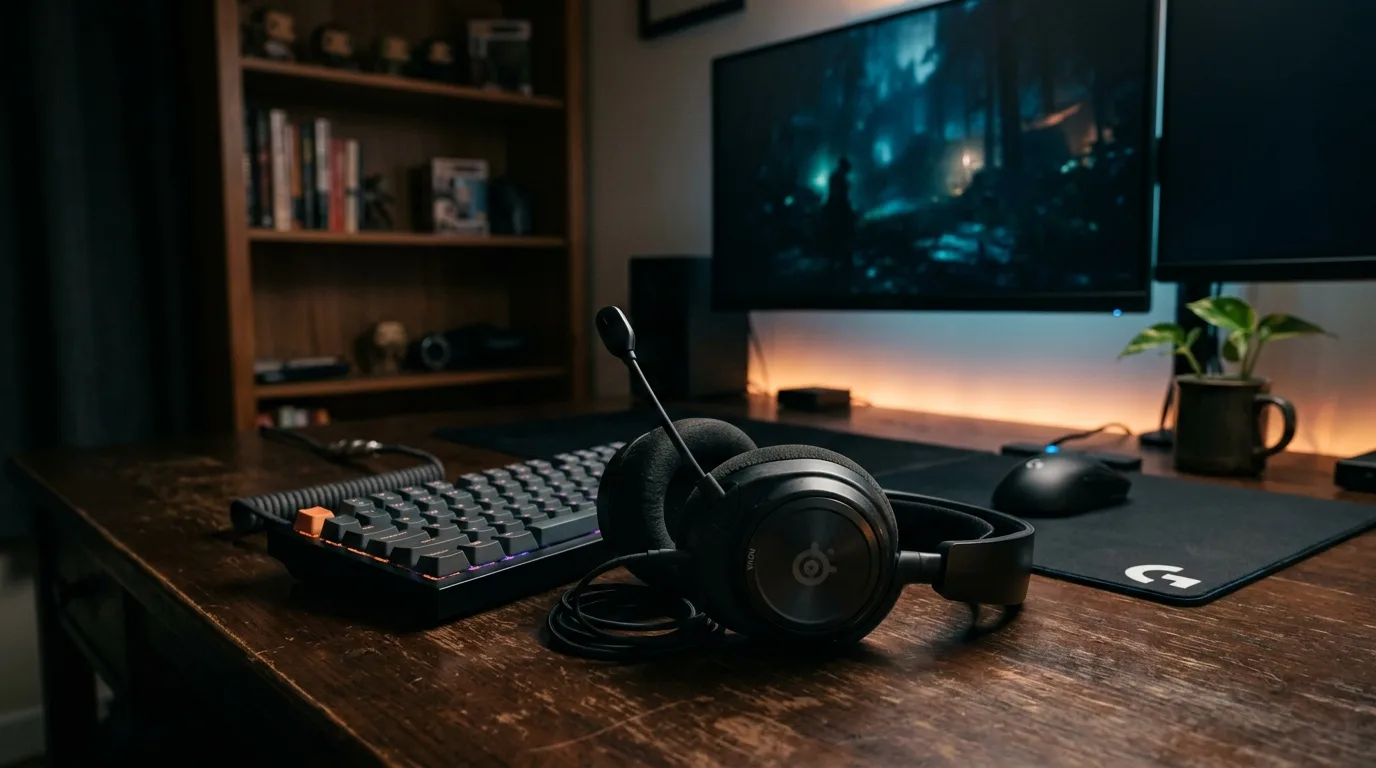
A footstep panning from left to right in the final circle of a battle royale. A reload click behind a wall in a 1v1 clutch round. The split-second audio cue that tells you an enemy pushed through the door you are holding. Competitive Gaming play depends on hearing positional detail with zero perceptible delay — and most wireless headphones introduce enough latency to turn those split-second reactions into split-second deaths. The headsets on this page were selected for sub-20ms wireless latency, accurate spatial positioning, microphone clarity for team communication, and physical comfort across marathon sessions that stretch well past midnight.
We cross-referenced latency measurements and frequency response data from RTINGS, expert reviews from Tom's Guide, PCMag, and SoundGuys, plus owner feedback from 30,800+ combined Amazon ratings filtered for competitive play, microphone quality, and long-session comfort complaints. Each pick earns its rank based on how it performs under the specific demands of play — not general music listening, not commuting, not office use. Every headset here uses a 2.4GHz wireless dongle as its primary connection because Bluetooth cannot deliver the latency floor that competitive multiplayer requires.
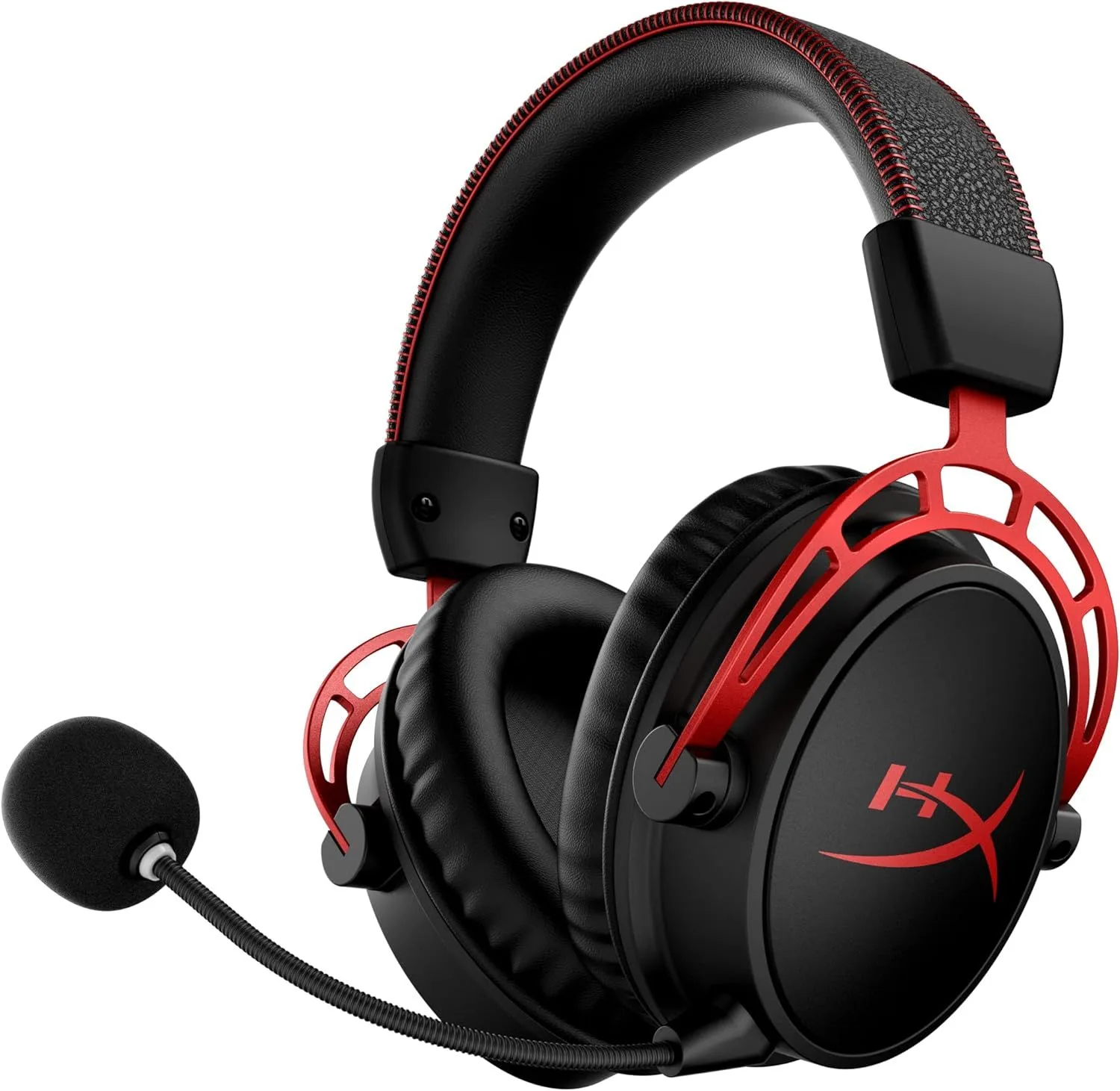
- HyperX Cloud Alpha Wireless — 300-hour battery with dual-chamber drivers and sub-20ms latency
- Logitech G733 — Blue VO!CE mic processing at 278g for streamers
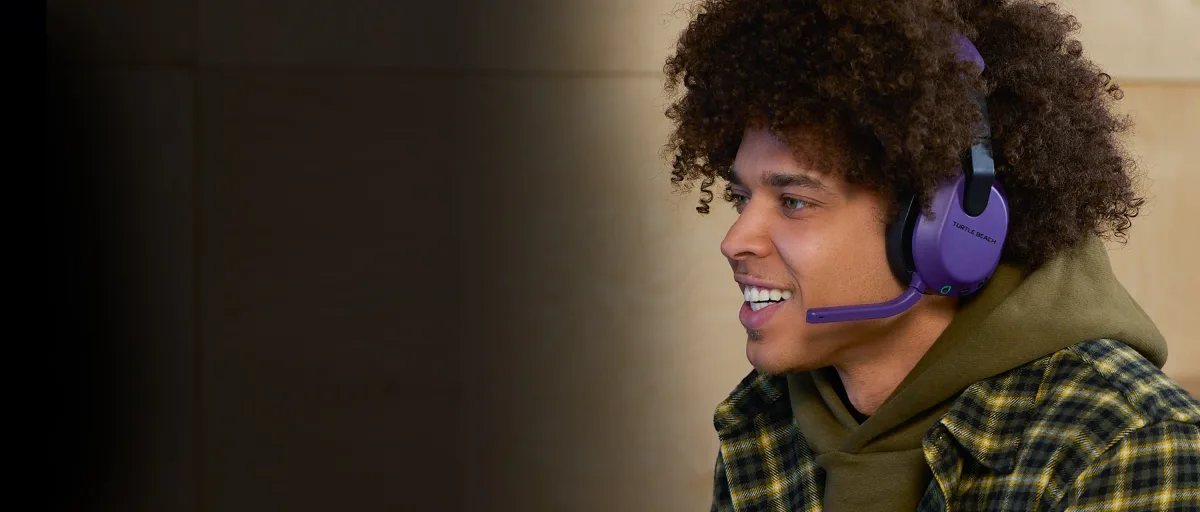
- Turtle Beach Stealth 600 — Multi-platform (Xbox, PS5, Switch, PC) with flip-to-mute
- Sony WH-1000XM6 — Premium ANC crossover with LDAC for single-player immersion
- Apple AirPods Max 2 — Spatial audio for Apple ecosystem players
Selection Criteria and Audio Requirements
Why Play Puts Different Demands on Headphones
The audio requirements for competitive multiplayer share almost nothing with the requirements for music listening or podcast consumption. Latency that is invisible during a Spotify playlist becomes a death sentence in a ranked FPS match, and microphone quality that is irrelevant on a morning commute determines whether your squad hears your callout before the push.
Latency is the defining specification. When audio travels from a console or PC to a wireless headset, every millisecond of delay shifts the timing relationship between what you see on screen and what you hear through the drivers. Wired USB connections deliver 5-10ms of latency. Proprietary 2.4GHz wireless dongles — the kind included with the HyperX Cloud Alpha Wireless, Logitech G733, and Turtle Beach Stealth 600 — add 15-20ms total. Standard Bluetooth SBC codec introduces 150-200ms. Even Bluetooth with aptX Low Latency lands around 40-60ms. In a competitive shooter where audio positioning drives rotation decisions, that 150ms Bluetooth gap means you hear the footstep after the enemy has already cleared the doorway. The difference between 15ms and 150ms is not subtle — it is the difference between pre-aiming a corner and dying to it.
Microphone quality matters more in team-based competitive play than in any other headphone use case. A callout that arrives garbled or buried under background noise is worse than no callout at all — it occupies your teammates' attention without delivering useful information. Boom microphones with software processing (noise gates, compression, EQ shaping) outperform the integrated beamforming arrays on consumer headphones by a wide margin for voice communication. The Logitech G733 with Blue VO!CE applies broadcast-level processing to a boom mic, and the Turtle Beach Stealth 600 uses TruSpeak AI noise reduction. These are not marketing labels — they produce measurably cleaner voice output on Discord and in-session chat than unprocessed alternatives.
Comfort requirements scale with session length, and play sessions are among the longest continuous headphone use cases outside of professional audio work. A four-hour ranked session is routine. Eight-hour weekend marathons are common. Tournament days can push twelve hours with breaks. At those durations, headband clamping force below 4 Newtons prevents the crown-of-head pressure point that builds into a dull ache by hour three. Ear cushion depth determines if your outer ear contacts the driver housing (painful after ninety minutes) or floats inside the cup (tolerable for four hours or more). Weight matters less than distribution — a 310-gram headset with a well-padded headband can feel lighter than a 280-gram headset with a narrow pressure strip.
What to Look For in a Wireless Headset
The spec sheet on a headset box contains twenty or more numbers. Five of them predict whether the headset will serve competitive play well. The rest are either irrelevant or misleading for this use case. Here is what actually drives performance during a match.
2.4GHz wireless, not Bluetooth. Every dedicated headset on this page ships with a USB dongle that creates a proprietary 2.4GHz link between the transmitter and the headset. This connection type delivers 15-20ms latency — within the range that RTINGS and other testing labs classify as "indistinguishable from wired." Bluetooth exists as a secondary connection on some models (the Turtle Beach Stealth 600 runs both simultaneously), but it serves phone calls and music streaming, not match audio. If a headset lists only Bluetooth connectivity, it was not designed for competitive play regardless of how it is marketed.
Microphone type and processing. Three microphone designs dominate the headset market: detachable boom, flip-to-mute boom, and integrated beamforming. Boom mics position the capsule 2-3 inches from your mouth, which improves voice pickup and reduces room noise relative to a microphone embedded in the ear cup. The Turtle Beach Stealth 600 uses a flip-to-mute design — push the boom arm up and the mic cuts instantly, no software toggle required. The HyperX Cloud Alpha Wireless has a detachable boom that removes entirely when you want a cleaner look. Software processing (Blue VO!CE on the Logitech G733, TruSpeak on the Turtle Beach Stealth 600) applies noise gating, compression, and EQ in real time to clean up the raw mic signal before it reaches Discord or in-session chat.
Surround and spatial audio processing. All headsets use stereo drivers — no consumer headset contains multiple physical speakers per ear cup. Virtual surround processing (DTS Headphone:X, Dolby Atmos for Headphones, Windows Sonic, Sony 3D Audio, Apple Spatial Audio) uses head-related transfer function algorithms to simulate directional audio from two drivers. The quality varies dramatically by implementation. DTS Headphone:X on the HyperX Cloud Alpha Wireless received strong positional accuracy scores from RTINGS. PS5's Tempest 3D AudioTech processes spatially on the console itself and sends the result to any connected headset. The Apple AirPods Max 2 handles spatial audio through Apple's head-tracking chip, which works with supported titles on Mac and iOS. Test surround against raw stereo in your primary title — some engines (Valorant, Overwatch 2) include built-in HRTF that conflicts with external surround processing.
Comfort for sessions beyond four hours. The Logitech G733 at 278 grams with an elastic suspension headband distributes zero direct pressure on the crown of the head — the fabric strip floats rather than pressing down. That design eliminates the hotspot that plagues rigid headband headsets during extended wear. The HyperX Cloud Alpha Wireless at 309 grams uses traditional padded plastic with HyperX signature memory foam, which distributes weight evenly but still contacts the skull directly. The Turtle Beach Stealth 600 at 300 grams has the thinnest headband padding of the three dedicated headsets, and multiple Amazon reviewers flag crown pressure starting at the 90-minute mark. For an in-depth comfort comparison across all three, our Cloud Alpha vs G733 breakdown includes weight distribution data.
Top Picks for PC and Console Play
1. HyperX Cloud Alpha Wireless — The Battery and Audio Benchmark
The HyperX Cloud Alpha Wireless redefines what battery life means in this product category. Its rated 300 hours was independently tested at 327 hours by RTINGS — a figure so far beyond every competitor that direct comparison loses meaning. At four hours of daily play, you charge this headset once a month. The cognitive load of battery management disappears entirely. No other wireless headset comes within 200 hours of this number.
Audio quality matches the endurance. The 50mm dual-chamber driver design physically separates bass reproduction from mid-high frequency output, reducing the distortion that single-driver headsets produce during overlapping sound effects — explosions, gunfire, voice chat, and ambient environmental audio competing for the same diaphragm. Bass extension reaches deep enough to feel positional rumble from footsteps without muddying dialogue or mid-range detail. DTS Headphone:X spatial processing is available through HyperX NGenuity software on PC, and independent testers rate its positional accuracy above average for the price tier.
The microphone is the documented weakness. Discord and TeamSpeak users consistently report that teammates cannot hear them without maximizing mic gain, and even then the output sounds thin. SoundGuys placed the mic near the bottom of the wireless headset category for voice clarity. If competitive callouts or streaming are part of your routine, budget for an external clip-on mic. The headset audio output is excellent — the mic input is not. For full measurements and mic comparison data, see our Cloud Alpha Wireless review.
Platform support covers PC and PlayStation via the 2.4GHz USB-A dongle. No Xbox wireless, no Bluetooth secondary. The connection itself is rock-solid with no dropouts in any major review and a tested wireless range of roughly 20 meters through walls.
Check Price on Amazon2. Logitech G733 — Streamer Mic and Featherweight Comfort
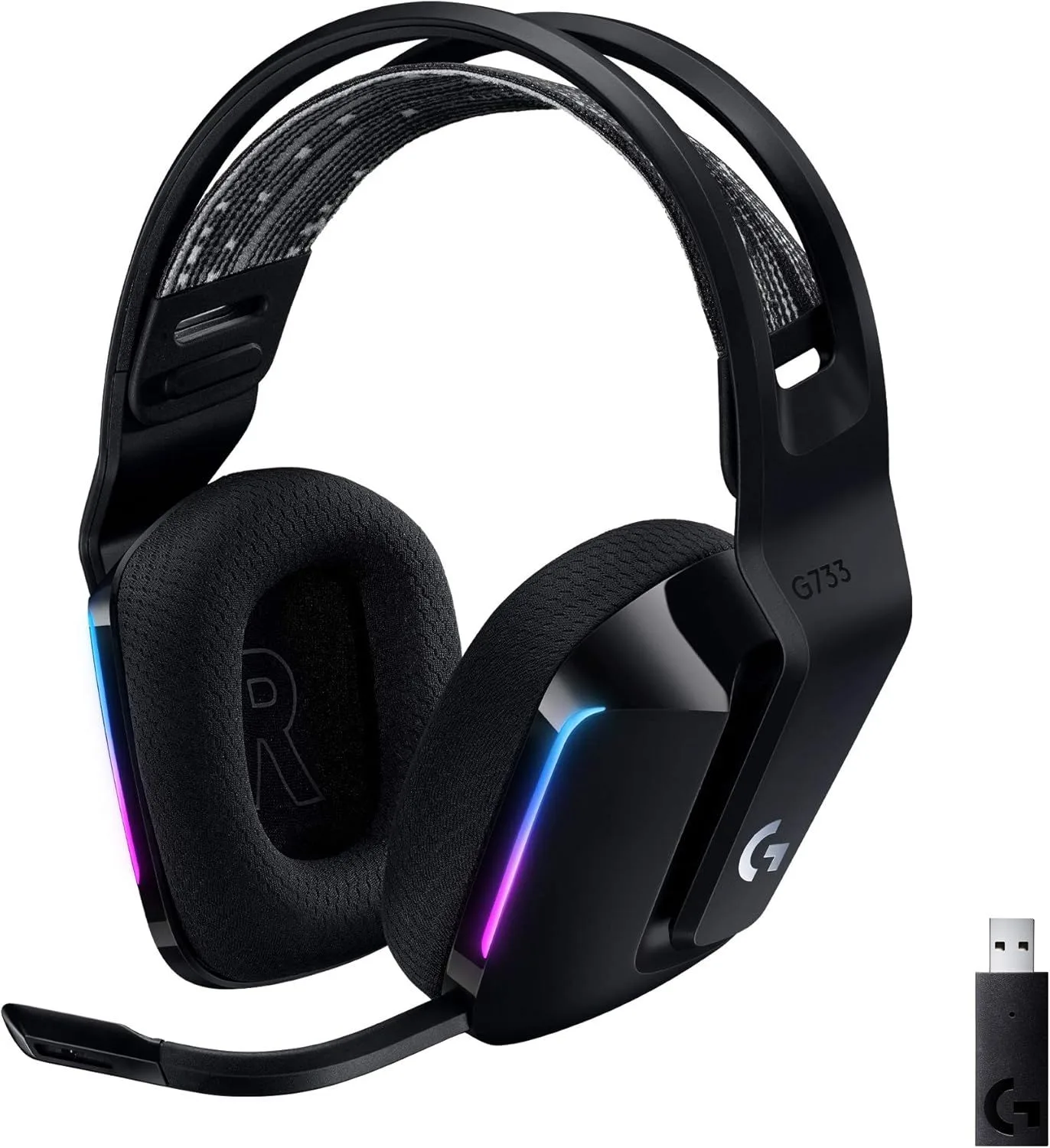
The Logitech G733 is the lightest headset on this page at 278 grams, and the elastic suspension headband is the most comfortable design available for sessions that stretch past four hours. The dual-layer memory foam ear pads breathe better than the leatherette found on competing models, reducing heat buildup during summer months or heated ranked sessions. Multiple owners on Reddit and Head-Fi describe it as the headset they stop noticing they are wearing — the highest comfort compliment available.
Blue VO!CE microphone technology is the strongest technical differentiator. Broadcast-grade processing — EQ shaping, compression, noise gate, de-esser, and limiter — runs on the boom mic in real time. Voices sound fuller, background noise cuts cleanly between sentences, and sibilance gets tamed without manual post-processing. PCMag highlighted mic quality as the standout feature. For streamers who do not want to manage a separate microphone chain, this eliminates that entire equipment category. Our full G733 review includes mic comparison recordings.
Battery life is the weakest specification. At 29 hours with RGB disabled and roughly 20 hours with lighting active, it is the shortest-lived dedicated headset in this lineup by a wide margin. Daily charging becomes routine for heavy users. Logitech G Hub software unlocks Blue VO!CE, DTS Headphone:X 2.0, and per-app audio mixing — but settings reset to factory defaults when G Hub is not running, and the software has documented launch-on-boot failures across Logitech's forums. PlayStation users lose all software features since G Hub is PC-only.
Check Price on Amazon3. Turtle Beach Stealth 600 — Multi-Platform and Flip-to-Mute
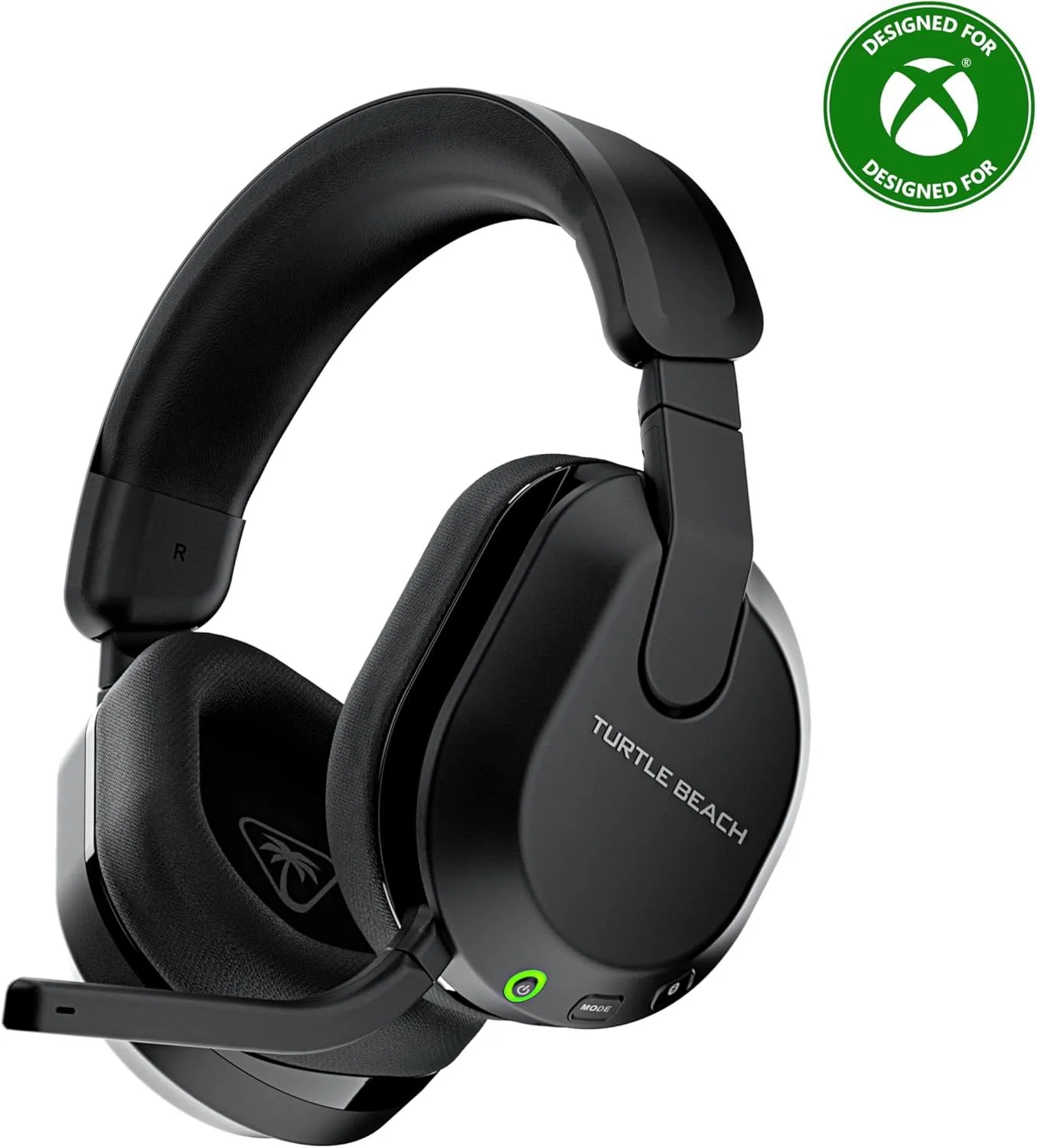
The Turtle Beach Stealth 600 Gen 3 solves the multi-platform problem that most manufacturers ignore. A single USB-C dongle provides 2.4GHz wireless audio to Xbox, PS5, Nintendo Switch, and PC — no adapters, no separate SKUs, no compatibility headaches. Simultaneous Bluetooth 5.2 lets you take a phone call during a loading screen or queue Spotify from your phone while hearing match audio from your console. No other headset under this price range runs both 2.4GHz and Bluetooth at the same time.
The 80-hour battery was confirmed at approximately 75-80 hours in independent testing — second only to the Cloud Alpha Wireless. Turtle Beach's Superhuman Hearing mode boosts footstep and reload frequencies in multiplayer, providing a measurable positional advantage in competitive shooters by amplifying the specific frequency ranges that correspond to in-game movement cues. The flip-to-mute boom arm is the most intuitive mic control on any headset — push the arm up, the mic cuts instantly. No fumbling for a button mid-callout.
Comfort is the primary concession. The headband padding is thinner than what HyperX or Logitech offer, creating a pressure point on the crown that becomes noticeable after 90-120 minutes. An aftermarket headband pad resolves the issue, but the fact that it needs resolution at this price is a valid criticism. TruSpeak AI microphone processing handles background noise rejection well — dog barking, keyboard clatter, and roommate conversations get filtered without clipping your voice. For a full platform-by-platform breakdown, see our Stealth 600 Gen 3 review.
Check Price on AmazonOur #1 pick for play: The HyperX Cloud Alpha Wireless pairs a 300-hour battery with dual-chamber 50mm drivers and sub-20ms 2.4GHz wireless that matches wired latency.
Check Price on Amazon
4. Sony WH-1000XM6 — Premium Crossover for Single-Player Immersion
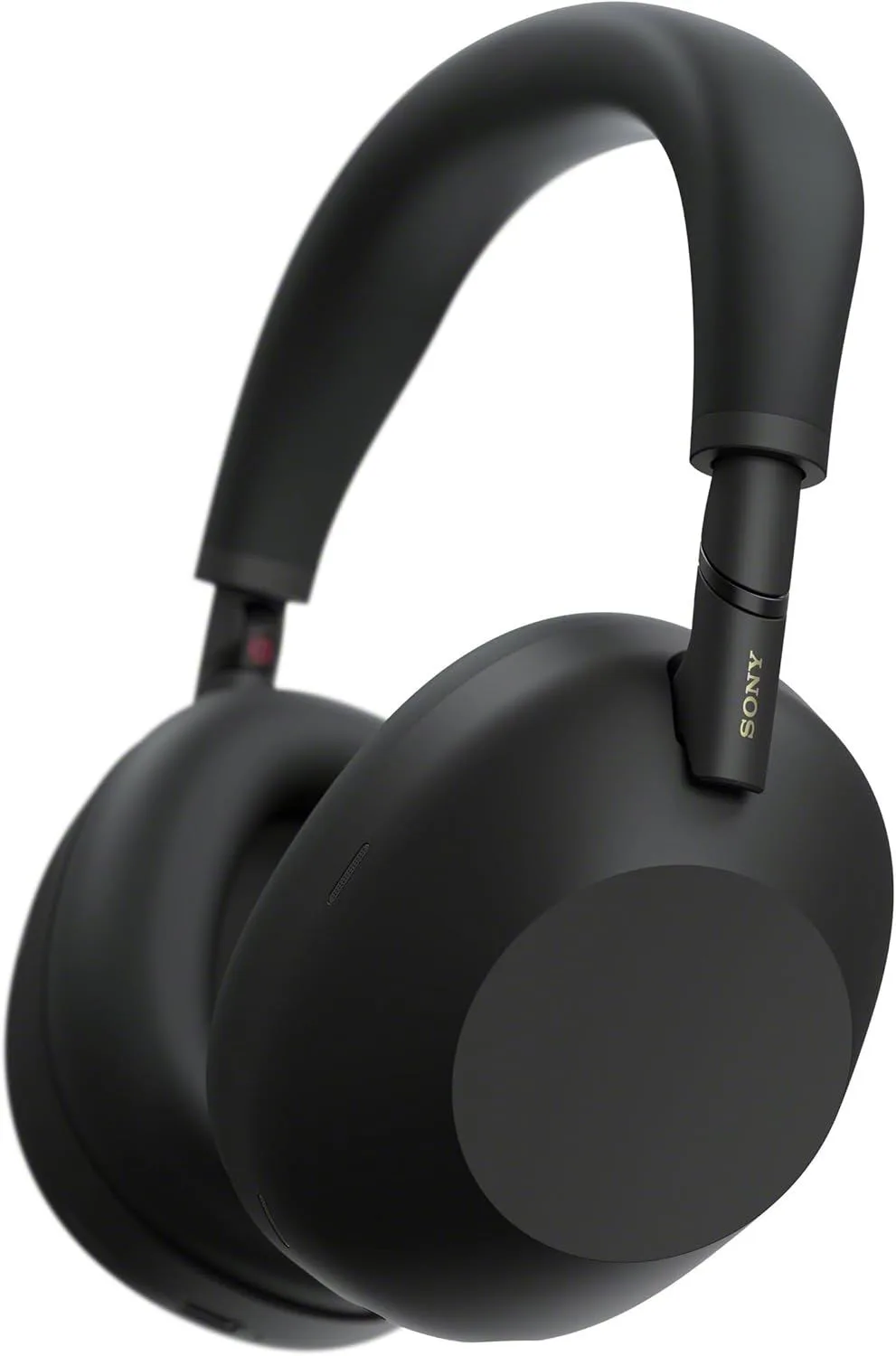
The Sony WH-1000XM6 is not a headset — it is a premium noise-cancelling headphone that happens to excel at single-player and narrative-driven titles where immersion matters more than competitive latency. Sony's multi-microphone ANC system cancels 30-35 dB across the speech-frequency range, creating a quiet pocket that deepens atmospheric audio in story-rich titles. LDAC codec support delivers near-lossless wireless audio quality that makes orchestral soundtracks and spatial sound design shine in ways that SBC or AAC connections cannot reproduce.
The downside is latency. As a Bluetooth-only headphone without a 2.4GHz dongle, the Sony WH-1000XM6 introduces 100-200ms of audio delay depending on the codec and source device. That rules it out for competitive FPS, fighting matches, or rhythm titles where audio-visual sync is non-negotiable. For open-world exploration, turn-based strategy, visual novels, and narrative RPGs, the latency is invisible and the sound quality advantage over dedicated headsets is immediately apparent. PS5's Tempest 3D AudioTech works through Bluetooth, delivering spatial processing even without a wired connection. See the XM5 vs XM6 comparison for how the new generation improves on its predecessor.
Check Price on Amazon5. Apple AirPods Max 2 — Apple Spatial Audio for Mac and iOS Players
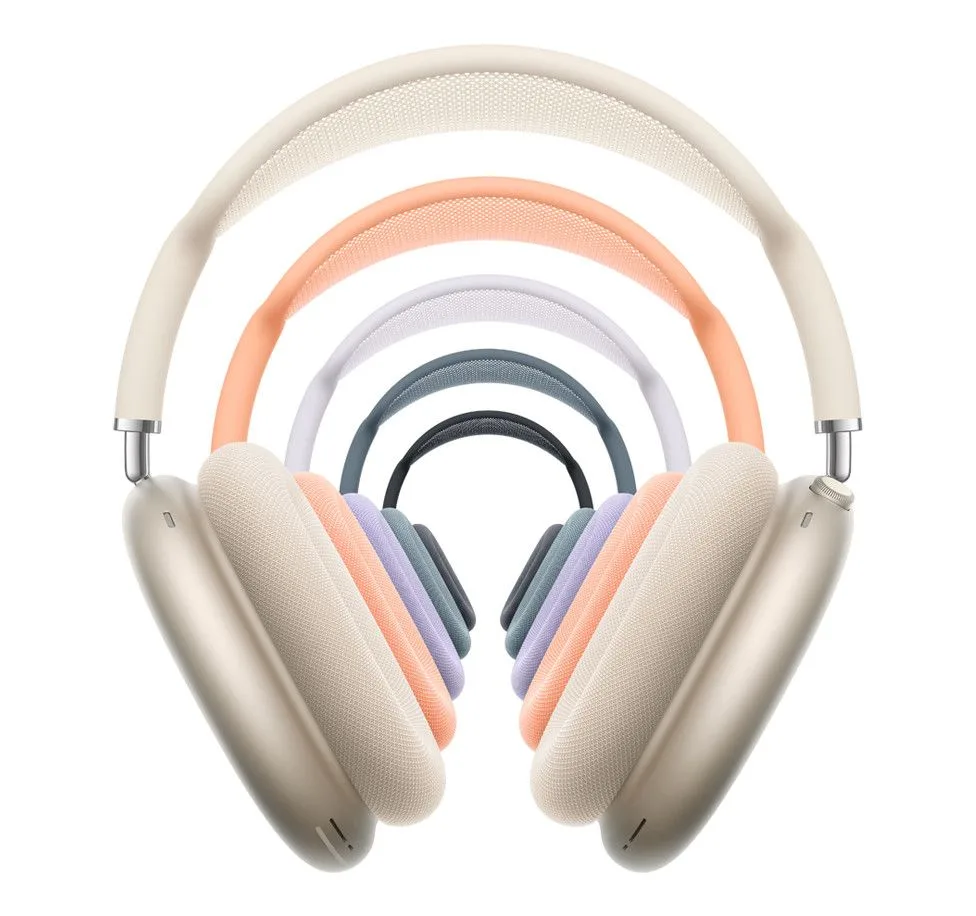
The Apple AirPods Max 2 makes the list for a specific audience: players embedded in the Apple ecosystem who play on Mac, iPad, or iPhone and want head-tracked spatial audio that updates in real time as they turn their head. Apple's H2 chip and gyroscope create a spatial audio field that stays anchored to the screen rather than rotating with your head — an effect that adds genuine directional immersion in supported titles. The aluminum build and mesh headband canopy deliver comfort across long sessions, and the ANC depth rivals Sony's best.
The limitations are platform-specific. Spatial audio head-tracking requires an Apple source device — it does not function with PC, PlayStation, Xbox, or Switch. Standard Bluetooth audio works with non-Apple devices, but you lose the spatial processing and head-tracking that justify the price premium. Latency sits in the standard Bluetooth range of 100-200ms, identical to the Sony limitation. The Apple AirPods Max 2 is the wrong pick for competitive multiplayer on any platform and the wrong pick for non-Apple console play. It is the right pick for Apple-ecosystem players who prioritize immersive spatial audio and build quality above all else. For a cross-brand premium comparison, the AirPods Max 2 vs XM6 breakdown covers audio quality, ANC depth, and comfort side by side.
Check Price on AmazonPlatform-Specific Setup Tips
The same headset performs differently depending on the platform it connects to, and the default audio settings on most platforms are not optimized for competitive play. These per-platform adjustments take two minutes and materially improve positional audio accuracy.
PC — Windows Sonic and dongle placement. Windows Sonic is a free built-in spatial audio option available in Sound Settings → Spatial Sound. It works with any 2.4GHz headset and adds virtual surround processing without third-party software. If you use DTS Headphone:X through HyperX or Logitech software, disable Windows Sonic to prevent double-processing. Place the USB dongle on the front of your desk or use a short USB extension cable — mounting the dongle behind a metal PC case attenuates the 2.4GHz signal and can introduce crackling or range issues that mimic hardware failure.
PlayStation 5 — Tempest 3D AudioTech. PS5 processes 3D spatial audio on the console itself through Sony's Tempest engine and sends the result to any connected audio device. Enable it in Settings → Sound → Audio Output → Enable 3D Audio. Run the ear shape measurement tool — it takes sixty seconds and measurably improves the accuracy of directional cues by matching the HRTF profile to your ear geometry. The Turtle Beach Stealth 600 connects via the USB-C dongle with zero configuration. The Sony WH-1000XM6 connects via Bluetooth and receives Tempest output directly. The HyperX Cloud Alpha Wireless connects via USB-A and works with Tempest but without HyperX software EQ customization.
Xbox Series X|S — limited wireless options. Microsoft's Xbox Wireless protocol restricts compatible headsets to models that specifically support it. The Turtle Beach Stealth 600 is the only headset on this page with native Xbox wireless. The Cloud Alpha Wireless and G733 do not work wirelessly with Xbox. Wired connection via 3.5mm to the controller works with any headphone but introduces controller battery drain and a cable running to your hands. Dolby Atmos for Headphones is available as a paid app from the Microsoft Store and provides strong virtual surround — activate it through Settings → General → Volume & Audio Output.
Extended Buying Considerations and Platform Support
Detachable vs flip-to-mute vs integrated microphones. The microphone form factor affects daily workflow more than most buyers expect. The HyperX Cloud Alpha Wireless ships with a detachable boom — remove it entirely when listening to music, attach it for match sessions. Clean aesthetic when detached, but losing the boom mic means hunting for it before your next session. The Turtle Beach Stealth 600's flip-to-mute boom stays permanently attached and mutes when you push it up, which is the fastest and most reliable mute toggle during a match. The Logitech G733's detachable boom removes for portability and reattaches magnetically. Integrated beamforming mics on the Sony WH-1000XM6 and Apple AirPods Max 2 pick up more background noise and produce lower voice clarity than any boom design — adequate for casual party chat, inadequate for competitive callouts.
Wired fallback for tournament and LAN environments. Some competitive environments — LAN parties, local tournaments, and certain esports venues — prohibit wireless audio due to interference concerns or anti-cheat requirements. A 3.5mm wired cable turns any wireless headset into a compliant wired one. The HyperX Cloud Alpha Wireless and Turtle Beach Stealth 600 both include 3.5mm cables. The Sony WH-1000XM6 and Apple AirPods Max 2 both support wired listening. The Logitech G733 does not include a 3.5mm cable and has no analog input — it is wireless-only. If you participate in local competitive events, wired fallback capability is worth prioritizing during purchase.
EQ profiles for different titles. A single EQ profile does not serve all use cases equally. Competitive FPS titles benefit from a mid-range boost around 2-4 kHz (footstep and reload frequencies) with reduced bass to prevent low-end rumble from masking positional cues. Story-driven single-player titles benefit from a warmer profile with fuller bass for soundtrack immersion. The HyperX Cloud Alpha Wireless offers 10-band EQ through NGenuity (PC only). The Logitech G733 offers similar granularity through G Hub. The Turtle Beach Stealth 600's Superhuman Hearing mode is a one-button shortcut that boosts competitive frequency ranges without manual EQ work. Our wireless headset roundup covers EQ tuning strategies for specific competitive titles.
Our Top Pick for Play
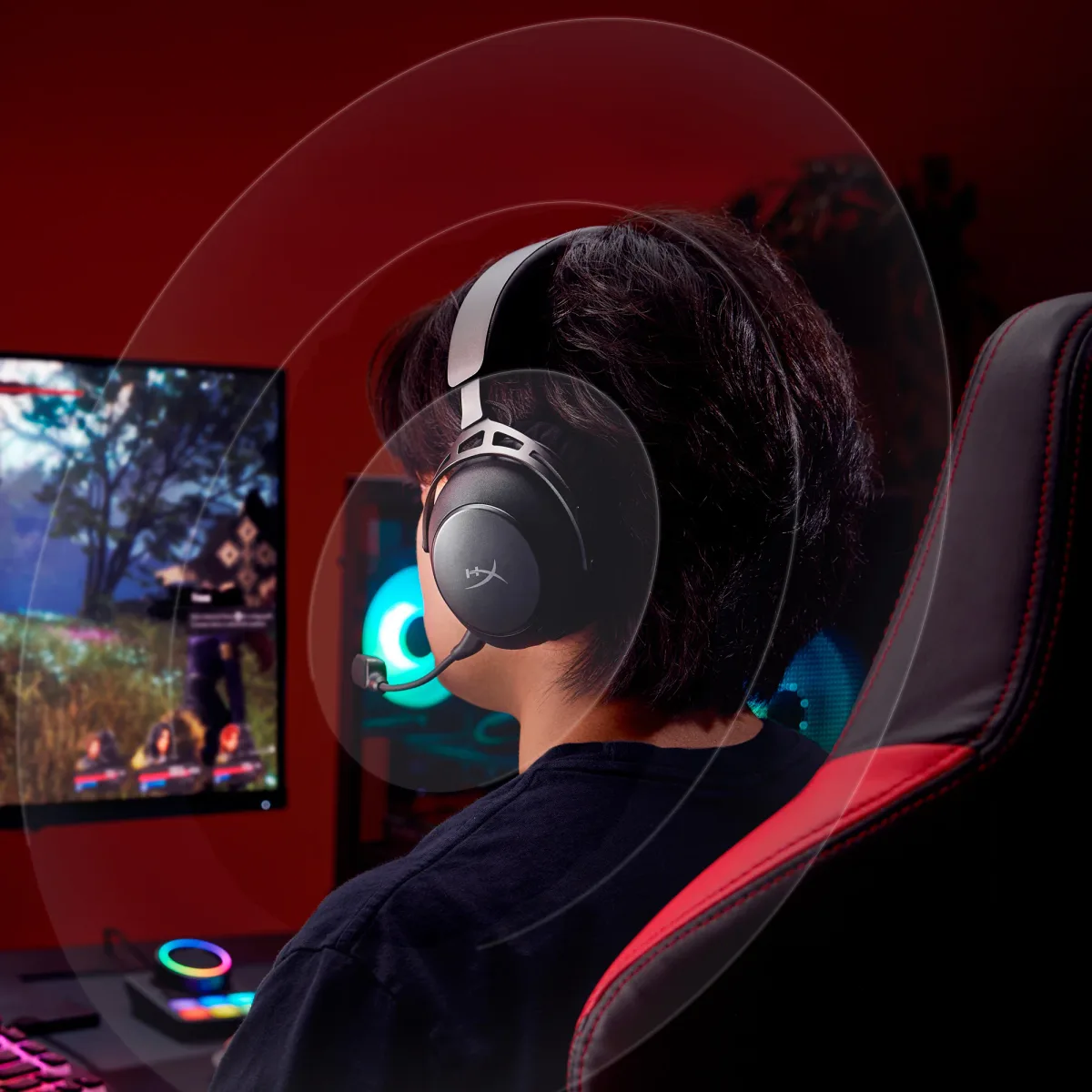
The HyperX Cloud Alpha Wireless is our top pick because it outperforms every competitor on the two specifications that matter most during competitive multiplayer: audio quality and wireless reliability. The dual-chamber 50mm drivers separate bass from mid-high output in a way that produces cleaner positional audio than any single-driver competitor at this price. The 300-hour battery eliminates charging as a consideration entirely. The 2.4GHz wireless delivers sub-20ms latency that independent testing confirms matches wired USB. Read our full review for detailed measurements and long-term durability data.
Players who stream on Twitch or YouTube should start with the Logitech G733 — Blue VO!CE mic processing eliminates the need for a separate broadcast microphone, and the 278-gram weight with elastic headband is the most comfortable option for marathon content creation sessions. Multi-console households — especially those with Xbox in the mix — should start with the Turtle Beach Stealth 600, which is the only headset here with native support for every current platform from a single device. And players who prioritize single-player immersion over competitive latency should consider the Sony WH-1000XM6 — its ANC and LDAC audio quality create an experience that dedicated headsets cannot match for narrative titles. Our wireless headset rankings cover the broader category beyond these activity-specific picks.
Frequently Asked Questions
Is Bluetooth fast enough for competitive multiplayer?
Standard Bluetooth adds 100-200ms of audio latency depending on the codec and device. In a competitive FPS where a 50ms delay means hearing a footstep after the enemy has already rounded the corner, that gap directly costs you fights. The HyperX Cloud Alpha Wireless and Logitech G733 both use proprietary 2.4GHz wireless dongles that measure under 20ms — imperceptible in practice and on par with a wired USB connection. Bluetooth is fine for single-player RPGs, turn-based strategy, and casual play where reaction time is not the deciding factor. For ranked multiplayer, 2.4GHz is the minimum standard.
Do I need surround sound processing for positional audio?
Virtual surround processing (DTS Headphone:X, Dolby Atmos for Headphones, Sony 3D Audio) can improve your ability to locate footsteps, gunshots, and environmental cues — but results vary by implementation and by the specific title. Some titles like Overwatch 2 and Valorant have built-in HRTF processing that works best in stereo mode, making external surround redundant or even counterproductive. The HyperX Cloud Alpha Wireless includes DTS Headphone:X that received higher positional accuracy scores from RTINGS than most competitors. Test both stereo and surround in your primary title before committing to one mode — what sounds more directionally accurate varies by engine.
Which wireless headset works with Xbox without an adapter?
Microsoft requires specific wireless protocols for Xbox console connectivity, and most PC/PlayStation 2.4GHz headsets do not support them. The Turtle Beach Stealth 600 is the only headset on this page with native Xbox wireless through its USB-C dongle — it covers Xbox, PS5, Nintendo Switch, and PC from a single device. The HyperX Cloud Alpha Wireless and Logitech G733 both work with PC and PlayStation only via their 2.4GHz dongles. If Xbox is your primary platform, verify compatibility before purchasing any wireless headset.
How long do wireless headset batteries last in practice versus advertised specs?
Independent testing generally confirms advertised battery figures within 10-15%. The HyperX Cloud Alpha Wireless was tested at 327 hours by RTINGS against a 300-hour claim — an anomaly where real performance exceeded the rating. The Turtle Beach Stealth 600 reaches approximately 75-80 hours in practice versus its 80-hour claim. The Logitech G733 hits roughly 20-25 hours with RGB lighting off (29 hours advertised without RGB). Louder volume and active microphone use reduce all figures by 10-15%. At 4 hours of daily play, the Cloud Alpha Wireless charges once per month.
Can a flip-to-mute mic replace a standalone desktop microphone?
For Discord callouts and in-match team chat, yes. The boom mics on all three dedicated headsets here are clear enough for voice communication during play. For content creation — Twitch streaming, YouTube voiceover, podcast recording — the Logitech G733 with Blue VO!CE processing is the only headset mic that approaches broadcast quality without external hardware. The HyperX Cloud Alpha Wireless has the weakest microphone of the group, and multiple users report low volume unless gain is maxed. If you stream regularly, either choose the G733 or budget for a separate clip-on or desktop mic regardless of which headset you pick.
Our Top Recommendation
Based on our research, the HyperX Cloud Alpha Wireless is our top pick — pc and playstation gamers who never want a dead headset — 300-hour battery means charging once every 3-4 weeks.
Get Our Top 3 Picks
Get our top 3 picks for your budget — one email, then only updates.
Only when something changes. Unsubscribe anytime.