Headphones for Video Calls: Sound Clear on Every Platform

Your colleagues hear every barking dog, every dishwasher cycle, every keyboard clatter that your microphone picks up. They just never tell you. The gap between "fine for music" and "good for video calls" is almost entirely about microphone performance — beamforming, AI noise suppression, and how well the headphone isolates your voice from whatever chaos is happening in the room behind you. These picks were chosen for how you sound to other people on the call, not just how other people sound to you.
We evaluated each pick against the real daily workflow of remote and hybrid workers: back-to-back Zoom meetings in a shared apartment, a Teams standup while construction shakes the windows, a client presentation on Google Meet where your audio quality reflects on you professionally. Data comes from RTINGS call quality measurements, SoundGuys microphone testing, What Hi-Fi long-wear assessments, and 450,000+ combined Amazon ratings filtered for call-specific feedback. Every headphone on this list also sounds good for music — but the ranking prioritizes the microphone, because that is what your meeting attendees actually experience.
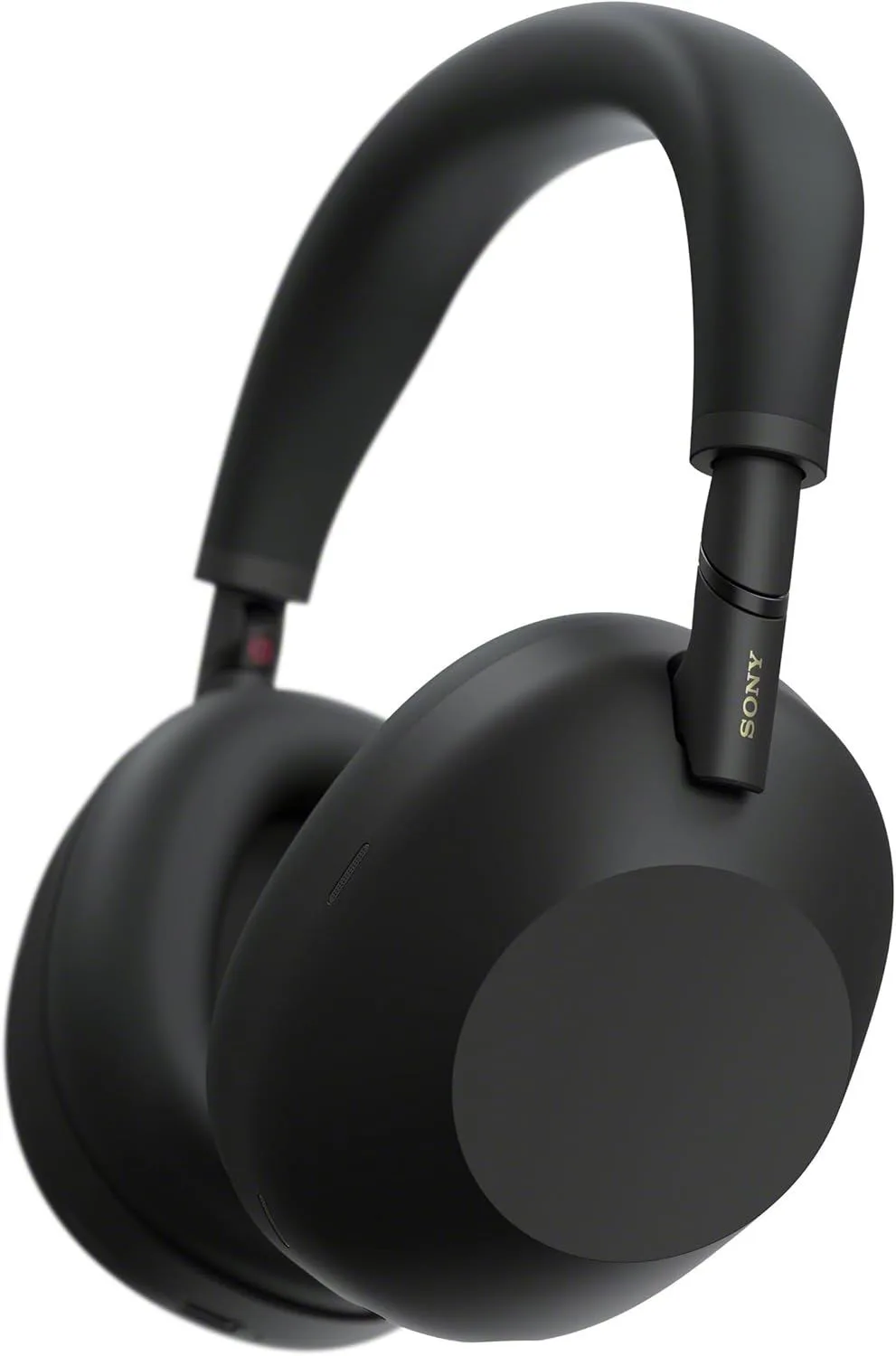
- Sony WH-1000XM6 — Best call quality with 12-mic beamforming array
- Bose QuietComfort Ultra — Most comfortable for all-day meeting schedules
- Sennheiser Momentum 4 — 60-hour battery, charge once per week
- Apple AirPods Pro 3 — Best earbuds for Apple ecosystem calls
- JBL Tune 770NC — Budget multipoint for two-device setups
Video Call Headphone Selection Criteria
Why Video Calls Put Different Demands on Headphones
Music headphones optimize for what you hear. Video call headphones must also optimize for what the people on the other end of the call hear. Two audiences. Two priorities. And those two priorities pull in different directions that most consumer headphones fail to reconcile well.
The microphone is the dividing line. A headphone with a single omnidirectional mic picks up your voice, your partner's conversation in the next room, the refrigerator compressor cycling on, and the neighbor's leaf blower equally. A headphone with a beamforming mic array uses multiple microphones to triangulate on your voice position and suppress sound arriving from other directions. The difference is audible within the first five seconds of a test call. The Sony WH-1000XM6's 12-mic system represents the current ceiling for consumer headphone call quality — reviewers at TechGearLab confirmed it "provides the clearest calls even in challenging environments like crowded airports." If it handles airport gate noise, it handles a toddler in the next room.
ANC serves a dual purpose during video calls. On the listening side, it removes background noise so you can hear your colleagues without cranking volume to compensate. On the speaking side, reducing your ambient noise floor means your brain does not unconsciously raise its own voice — a phenomenon called the Lombard effect. People in noisy rooms speak 3-6 dB louder without realizing it, which distorts the microphone pickup and fatigues your voice across a full day of meetings. ANC keeps your speaking volume natural, which keeps the mic signal clean.
Comfort requirements for call-heavy workdays differ from casual listening because the headphones stay on continuously across 4-8 hour blocks with no natural break point. A playlist ends. A podcast finishes. A meeting schedule does not — one call rolls into the next with a two-minute gap to refill your water glass.
And the pressure builds.
Clamping force that feels secure for a 45-minute album becomes a jaw-tension headache by the third consecutive hour of standup meetings. Ear cushion foam that breathes well during a half-hour walk traps heat during an entire morning of seated calls. Weight that disappears during commute listening compresses into a headband hotspot across a six-hour meeting block.
Then there is the device-switching problem. Remote workers toggle between a laptop running Zoom and a phone receiving personal calls, sometimes multiple times per hour. Without multipoint Bluetooth, each switch requires disconnecting one device and reconnecting the other — a 15-30 second process that interrupts focus and occasionally fails mid-call. Multipoint eliminates that friction entirely by maintaining simultaneous connections to both devices.
What Separates a Good Call Headphone From a Bad One
Five specs predict whether a headphone will serve you well across thousands of hours of video calls or become the device you replace after three frustrating months. But not all show up on spec sheets. Not all of them appear on the product page — some require checking independent measurements.
Microphone quality and beamforming. The number of microphones matters, but what they do with the signal matters more. Beamforming uses the phase differences between multiple mic capsules to estimate the direction of incoming sound. Your voice arrives from a predictable position (directly in front of your face). Background noise arrives from everywhere else.
The difference is night and day.
The algorithm amplifies the first and suppresses the second. The Sony WH-1000XM6 does this with 12 mics and AI post-processing. The Sony WH-1000XM5 uses 4 beamforming mics with good results in moderate noise. Budget models with 2 mics can only do basic noise gating — they cut volume when you stop speaking, but they do not directionally separate your voice from ambient sound while you are speaking.
Multipoint Bluetooth connection. Connecting to your laptop and phone simultaneously is not a luxury feature for remote workers — it is daily infrastructure. The Bose QuietComfort Ultra, Sony WH-1000XM6, and Sennheiser Momentum 4 all handle multipoint reliably with handoff gaps under two seconds. The Apple AirPods Pro 3 use Apple's iCloud-based device switching instead, which is faster within the Apple ecosystem but does not work with non-Apple devices. If your work laptop is Windows and your personal phone is an iPhone, standard multipoint on the Sony or Bose is the right solution.
ANC depth for home office noise. Home office noise profiles differ from commute or travel noise. Instead of constant low-frequency drone, you face intermittent mid-frequency distractions — a dog barking once per hour, a delivery knock, a partner's phone conversation in the adjacent room. ANC handles the steady background (HVAC, street traffic, refrigerator hum) while you need passive isolation from the ear cups to dampen the unpredictable spikes that ANC algorithms cannot anticipate. The combination of active cancellation plus physical seal determines total isolation. The Sony WH-1000XM6 and Bose QuietComfort Ultra both deliver deep enough cancellation to turn a shared apartment into a functional workspace.
Comfort for 8-hour desk sessions. Three variables control all-day comfort: headband pressure distribution (wide, padded headbands spread force across a larger area), ear cushion depth (deeper cups prevent your outer ear from pressing against the driver housing), and total weight (under 270 grams avoids neck fatigue for most head sizes). The Bose QuietComfort Ultra at 260 grams with the plushest cushions in its class wins every long-wear test published by RTINGS and What Hi-Fi. Glasses wearers face an additional constraint — the arms create a gap in the ear cushion seal and a pressure point at the temple. Bose's softer foam compresses around glasses frames better than firmer alternatives.
Platform compatibility and codec support. Zoom uses Opus codec at 48kHz. Teams defaults to SILK at 16kHz (narrowband) but can negotiate up to 48kHz. Google Meet uses Opus. FaceTime uses AAC-ELD. None of these match the high-resolution codecs (LDAC, aptX Adaptive) that audiophile headphones advertise, because conferencing audio is optimized for voice clarity at low bitrates, not music fidelity at high ones. The practical implication: codec support differences between headphones are irrelevant during calls. What matters is whether the headphone's microphone processing plays well with each platform's echo cancellation and noise suppression — and here, the Sony WH-1000XM6 leads because Sony's AI voice isolation runs on-device before the audio reaches the conferencing app, reducing the load on software-based processing.
Top Picks for Video Calls
1. Sony WH-1000XM6 — The Voice Clarity Standard
The Sony WH-1000XM6 earns the top position for one reason that outweighs everything else in the video call context: its 12-microphone beamforming array with AI voice processing delivers the clearest hands-free call audio in any consumer headphone. This is not a marginal advantage. In side-by-side call quality tests from RTINGS and TechGearLab, the difference between the Sony WH-1000XM6 and 4-mic competitors is audible within the first sentence. Your voice comes through clean, directional, and separated from background noise in a way that 2-4 mic headphones cannot replicate through software alone.
ANC depth reinforces the call quality. By cancelling ambient noise on your end, the Sony WH-1000XM6 prevents the Lombard effect (unconsciously raising your voice in noisy rooms) and keeps your speaking volume consistent, which preserves microphone signal quality across long meeting days. The Ambient Sound mode is useful between calls — it passes through enough environmental audio to hear a doorbell or a child calling your name without removing the headphones. Thirty hours of battery with ANC covers 3-4 full workdays of continuous use, and a 3-minute quick charge adds roughly 3 hours if you forget to charge overnight.
The limitations for desk workers: no USB-C wired audio means you need the included 3.5mm analog cable for wired listening, which requires an adapter on USB-C-only laptops. The Sony Headphones Connect app is bloated with settings that most remote workers will configure once and never touch again. At 254 grams, it is comfortable for full-day wear but not the lightest option. For a complete breakdown, read our XM6 review with call testing data. If you are deciding between this and the Bose, our XM6 vs QC Ultra comparison covers the call quality gap in detail.
Check Price on Amazon2. Bose QuietComfort Ultra — Marathon Comfort for Meeting-Heavy Days
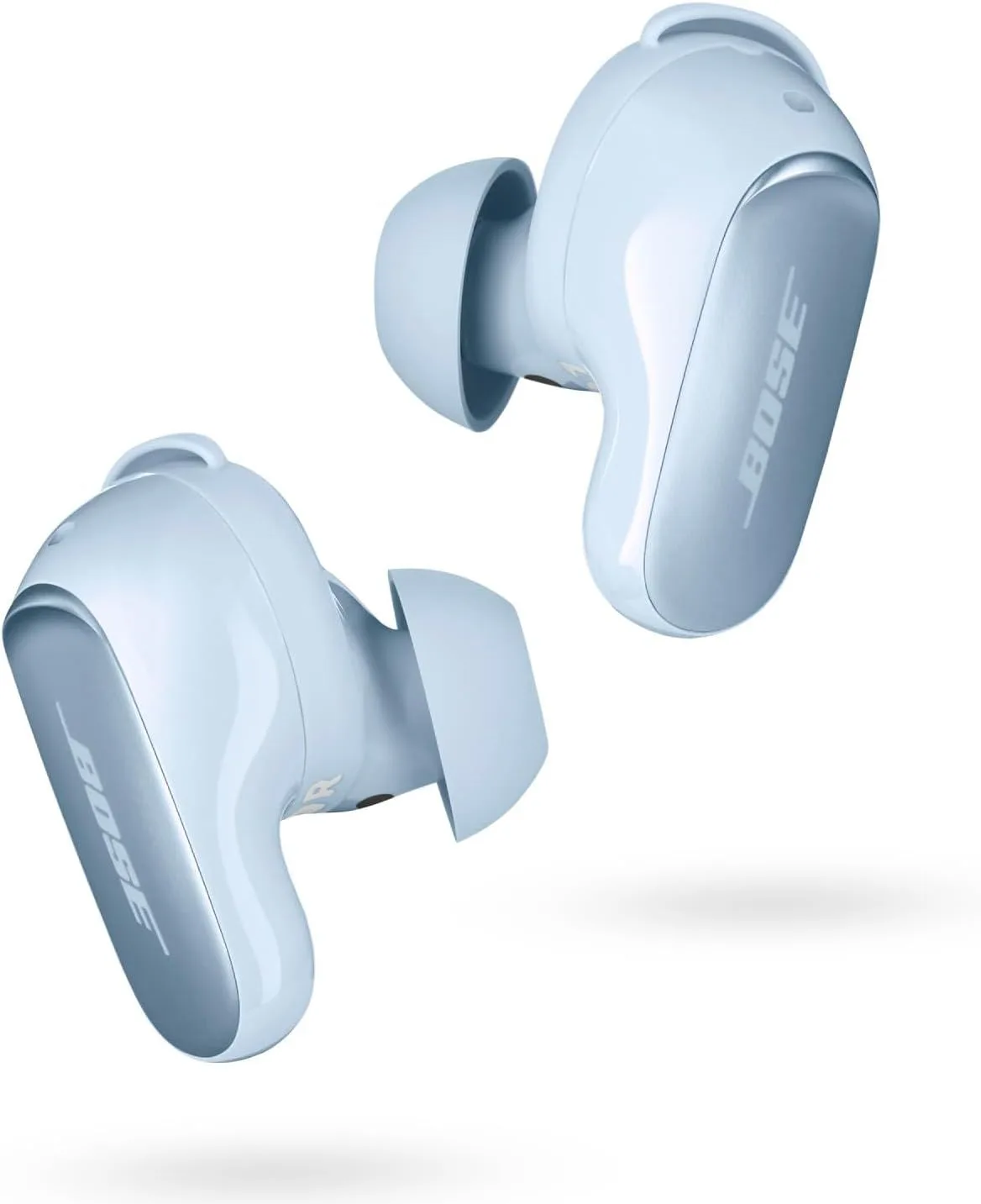
When your calendar shows six hours of consecutive meetings with ten-minute gaps, the headphone you need is the one you forget you are wearing. The Bose QuietComfort Ultra 2nd Gen wins long-wear comfort rankings from every major review outlet because of a specific combination: 260-gram weight, low clamping force, and the softest protein leather ear cushions in the premium tier. For remote workers who develop headband soreness or ear heat by mid-afternoon with other headphones, this is the pair that makes 8-hour days physically sustainable.
CustomTune recalibrates ANC and EQ to your specific ear shape every time you put the headphones on. During a workday, wearing position shifts as you lean back, rest your chin on your hand, or tilt your head during conversation — CustomTune compensates for seal changes automatically. Call quality is strong in moderate home-office noise, with clear voice pickup in environments up to about 55 dB ambient. In louder conditions — a partner on a call in the same room, nearby construction — the Sony WH-1000XM6's 12-mic array pulls ahead. Battery matches the Sony at 30 hours with ANC. USB-C wired audio at 16-bit/48kHz is a real advantage for desktop workers who want bypass Bluetooth entirely during calls.
Multipoint works reliably between laptop and phone with handoff gaps under one second in our observation. The Bose app is simpler than Sony's, which is either a drawback (fewer EQ adjustments) or a benefit (nothing to misconfigure) depending on your preferences. For WFH workers whose primary headphone complaint is physical discomfort during long meeting blocks, the Bose QuietComfort Ultra is the answer. Our QC Ultra comfort analysis covers all-day wear testing against every competitor.
Check Bose QC Ultra Price3. Sennheiser Momentum 4 — Charge Once, Call All Week
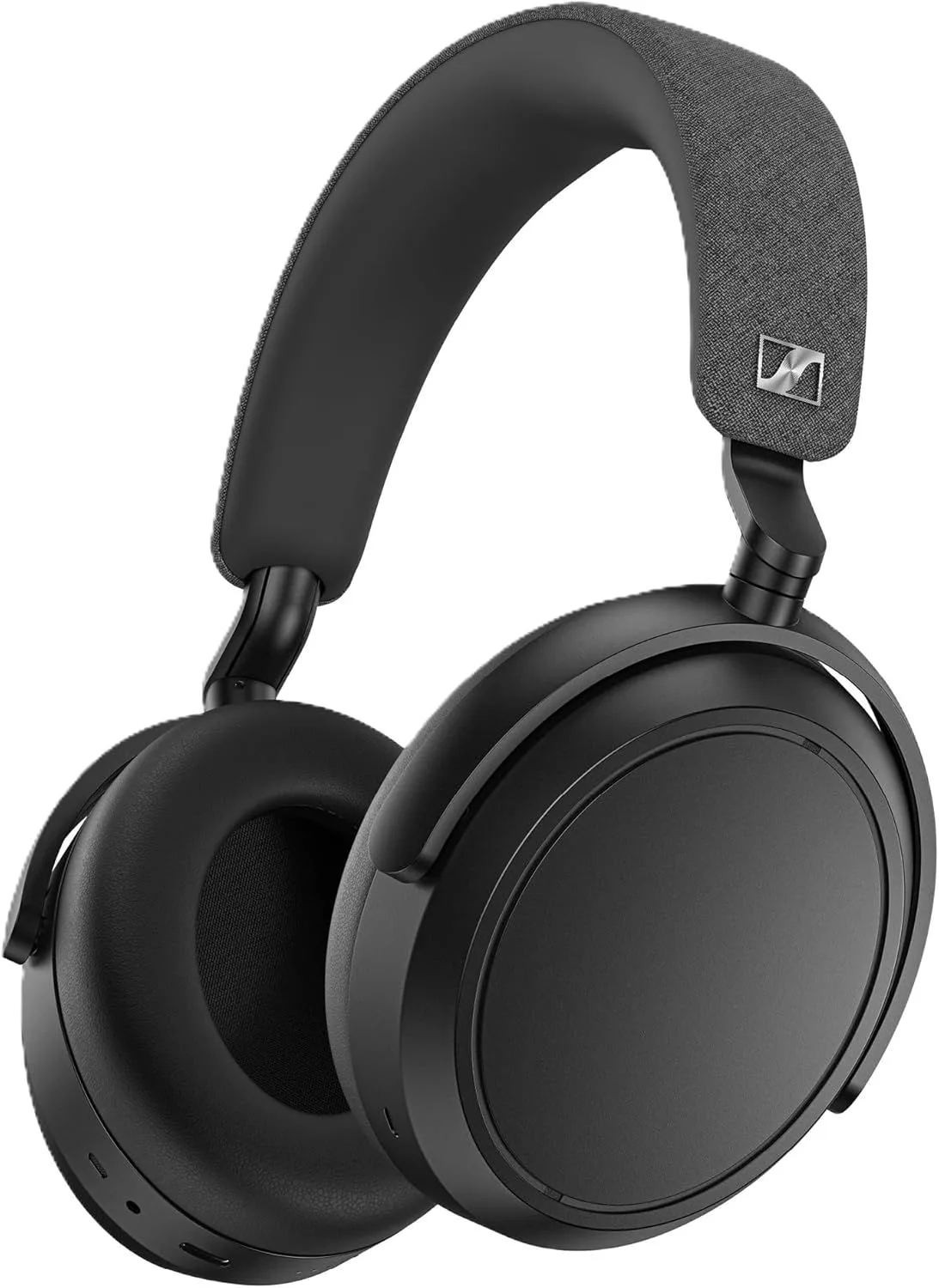
Charge it Sunday. Forget it all week. Sixty hours of rated battery with ANC active. Under real workday conditions — calls at moderate volume, ANC on, frequent device switching — that translates to roughly 50-55 hours. A full Monday-through-Friday workweek of 8-hour days plus evening music listening, from a single Sunday night charge. For remote workers who find the act of remembering to charge another device frustrating alongside phones, laptops, and watches, the Sennheiser Momentum 4 eliminates battery management from the equation entirely.
Sound quality is Sennheiser's less-discussed strength in the WFH context. The warm, balanced tuning — less bass emphasis than Sony or Bose, more midrange presence — makes voices sound natural and clear during both calls and podcasts. Across 6-8 hours of continuous listening, that flatter signature causes less ear fatigue than bass-heavy alternatives. aptX Adaptive codec support gives Android users the highest-quality wireless audio path available during music breaks between meetings.
But mic clarity trails the leaders. Call quality is adequate but not a standout. The Sennheiser Momentum 4 does not match the Sony WH-1000XM6's microphone clarity in noisy environments, which makes it a better fit for workers whose days are 70% focused solo work with occasional calls rather than 70% back-to-back meetings. ANC is a tier below Sony and Bose in the most demanding environments but handles typical home-office noise — HVAC hum, street traffic, appliance drone — without issue. Our Momentum 4 battery and sound review covers endurance testing and call quality comparisons.
Check Momentum 4 PriceOur #1 pick for video calls: The Sony WH-1000XM6 combines a 12-mic beamforming array with the deepest ANC available — your colleagues hear your voice, not your house.
Check Price on AmazonWatch: This is Tech Today breaks down the Headphones for Video Calls (154K views)

4. Apple AirPods Pro 3 — Apple Ecosystem Call Companion
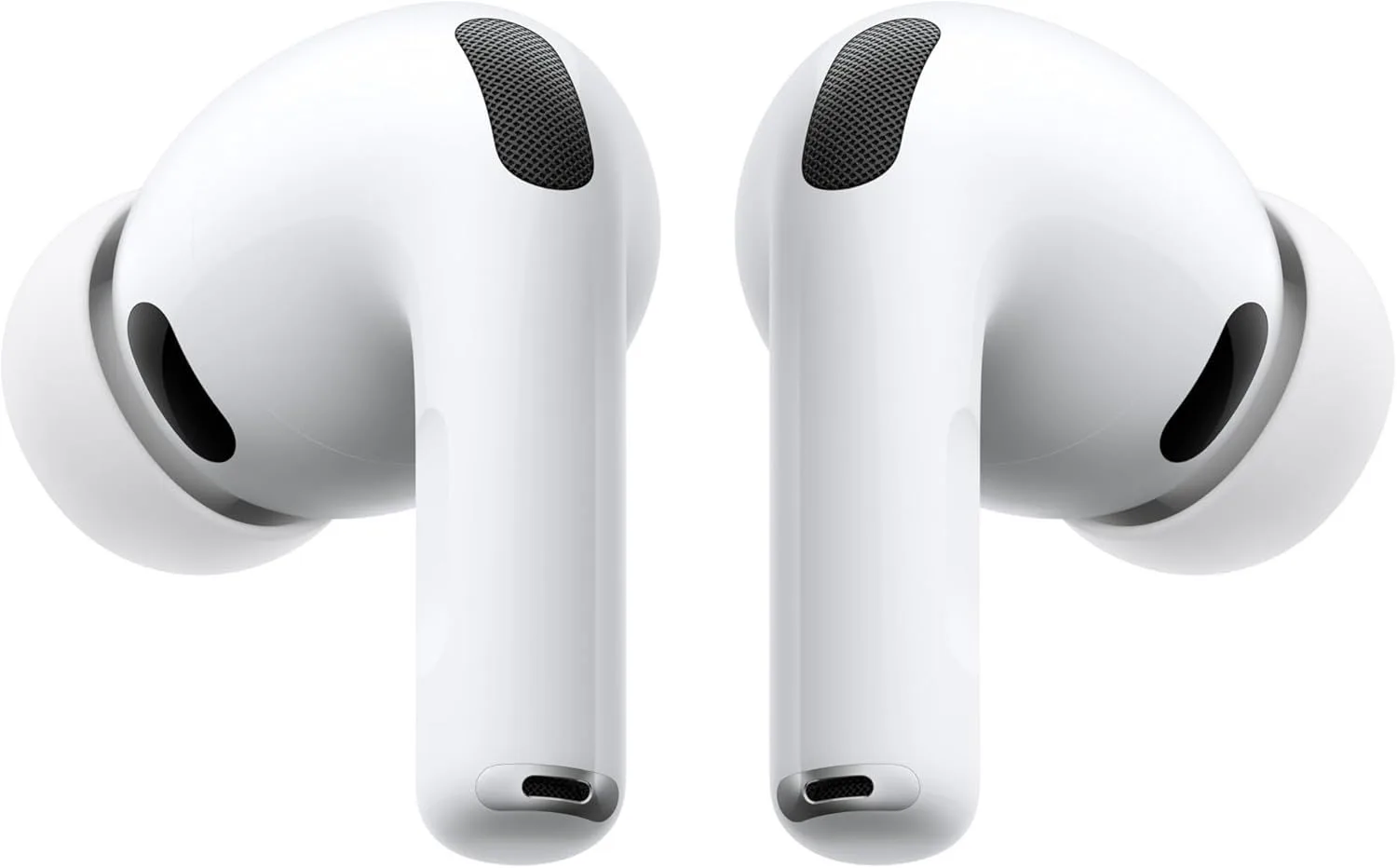
Mac-based remote workers who want earbuds instead of over-ear headphones get a specific advantage with the Apple AirPods Pro 3: Voice Isolation. This on-device machine learning feature separates your voice from background noise using computational audio processing that runs on the Apple H2 chip before the signal reaches Zoom, Teams, or FaceTime. The result approaches dedicated microphone setups for call clarity, especially when paired with a Mac that adds its own voice processing layer. Automatic device switching between MacBook, iPhone, and iPad is faster and more reliable than any standard Bluetooth multipoint implementation — the earbuds follow your active device without manual intervention.
The 8-hour per-charge battery is the tightest on this list for full-day desk use. A call-heavy morning will drain them by early afternoon. The practical workaround: drop them in the case during a lunch break or a non-call focus block, and 5 minutes of charging recovers roughly an hour of playback. The 33-hour total case battery acts as a buffer that extends effective daily use well beyond the single-charge limit. ANC depth is the strongest in the earbud category — sufficient to block typical home-office noise, though it cannot match the total isolation of full over-ear cups. For Apple-only professionals who split their day between desk calls and moving around the house, the Apple AirPods Pro 3 integrate more naturally than any over-ear option. Our Pro 3 review covers voice isolation testing in detail.
Check AirPods Pro 3 Price5. JBL Tune 770NC — Budget Multipoint for Two Devices
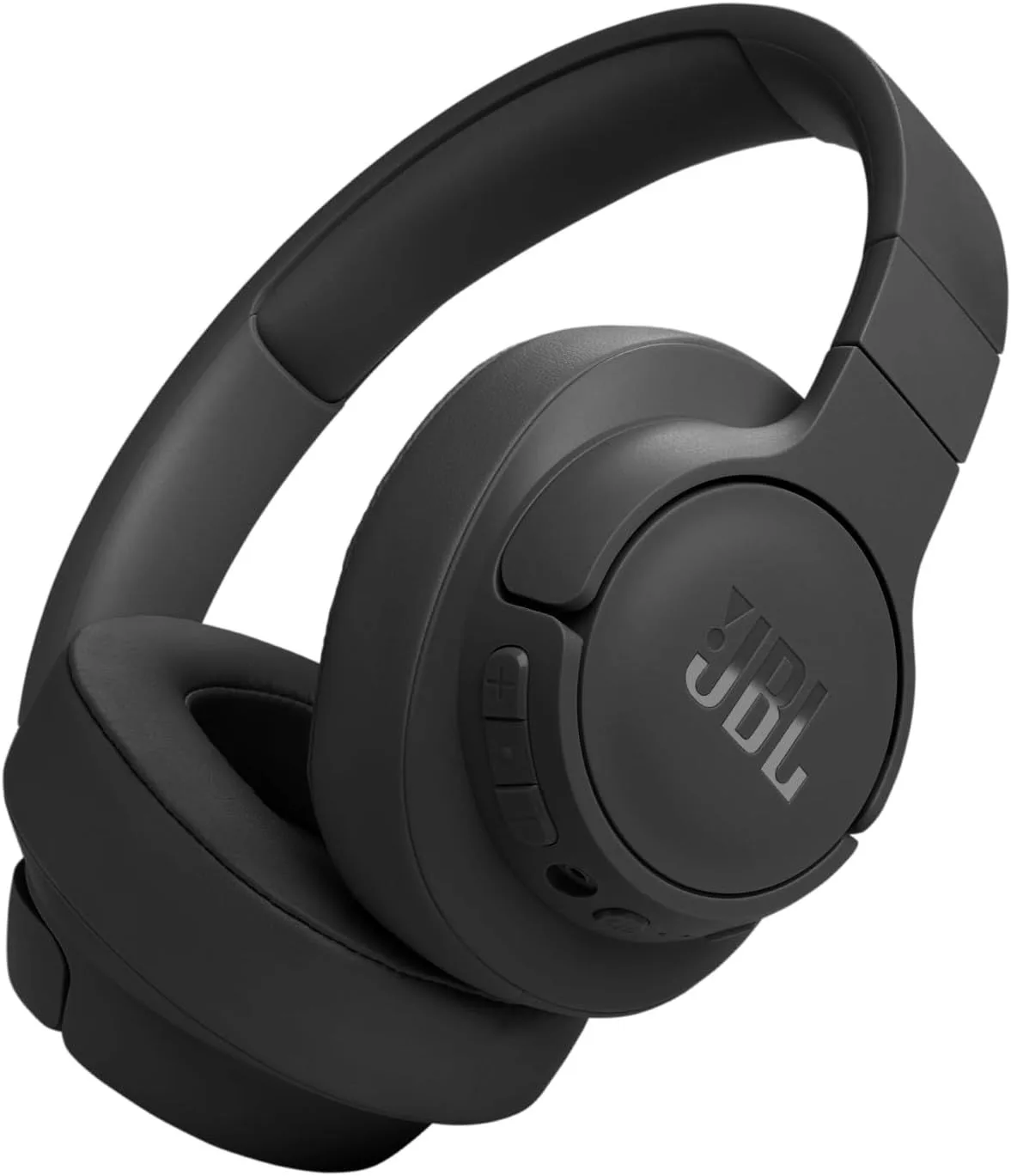
Multipoint Bluetooth at this price point is the JBL Tune 770NC's defining advantage for remote workers. Connecting to both your laptop and phone simultaneously — the feature that costs three to four times more on Sony, Bose, or Sennheiser — is available here at a fraction of the price. For workers who take phone calls between Zoom meetings and need the device switching to happen automatically, the JBL Tune 770NC delivers the core infrastructure without the premium markup. Adaptive ANC adjusts cancellation intensity based on ambient noise levels, handling typical home-office sounds competently if not at flagship depth.
JBL's 44-hour battery with ANC active is the second-longest on this list after the Sennheiser Momentum 4. That translates to a full workweek of 8-hour days without mid-week charging. The bass-forward stock tuning is less ideal for voice-heavy call days — voices can sound slightly recessed behind the low end. The JBL Headphones app provides EQ customization to correct this, but you need to make the adjustment manually. Microphone quality is adequate for quiet rooms and struggles in noisier environments where competing voices or appliance noise bleeds into the pickup. For workers in a dedicated home office with a closed door, that is rarely a problem. For shared-space workers, the Sony WH-1000XM6 or Bose QuietComfort Ultra handle ambient noise on the mic side far better.
Build quality matches the price tier — functional but not premium. Ear cushion padding is thinner than the top three picks, which creates warmth during long sessions. At 36-hour comfort it is fine; at 8-hour comfort it falls behind. The JBL Tune 770NC is the right entry point for remote workers who want multipoint and ANC on a budget and whose call environments are relatively controlled. Our Tune 770NC review covers call audio and long-wear testing results.
Check Price on AmazonPlatform-Specific Tips for Clearer Calls
Zoom: disable software noise suppression when using a good mic. Zoom's built-in noise suppression is designed to clean up laptop speaker-mic combinations. When you use a headphone with its own hardware noise processing — like the Sony WH-1000XM6's AI voice isolation — stacking Zoom's software suppression on top of it can create an unnatural, hollow quality. Go to Settings → Audio → turn "Suppress background noise" to Low. If your headphone mic is doing its job, the raw signal sounds more natural than double-processed audio. For a detailed comparison of how each pick handles Zoom's audio pipeline, our WFH headphone rankings cover platform compatibility testing.
Microsoft Teams: check your audio device selection after every update. Teams has a documented behavior where Windows updates and app updates reset the audio device to the laptop's built-in speakers and mic, even if you had headphones selected. After any Teams update, click the three-dot menu during a call → Device settings → confirm your headphone is selected for both speaker and microphone. This catches a problem that many remote workers experience as "my headphones stopped working with Teams" when in reality Teams just forgot the device preference.
Google Meet: use Chrome, not the desktop app or other browsers. Meet runs natively in Chrome and Google's audio processing is optimized for the Chrome audio pipeline. Firefox and Safari introduce additional audio routing that can increase latency and occasionally cause echo. If you experience audio lag or your colleagues report hearing themselves echo back, switching to Chrome often fixes it immediately. The XM5 review covers Bluetooth latency data that is relevant to understanding lag on all platforms.
FaceTime: Voice Isolation is platform-level, not headphone-level. On macOS Ventura and later, the Voice Isolation feature in Control Center applies Apple's on-device ML voice separation to any microphone input — including non-Apple headphones. This means the Sony WH-1000XM6's already-excellent mic quality gets an additional computational boost during FaceTime calls on a Mac. The Apple AirPods Pro 3 get a double layer of voice processing (their own H2-based processing plus the Mac's). For Mac users who frequently FaceTime, this platform-level feature makes any headphone sound better on calls.
Mute Controls and Call Management
Additional Call Workflow Considerations
Physical mute vs software mute. Physical mute buttons on the headphone itself provide tactile confirmation that you are muted — you feel the click. Software mute (spacebar in Zoom, Ctrl+Shift+M in Teams) requires visual confirmation on screen.
During a meeting where you are eating lunch, dealing with a noisy interruption, or stepping away briefly, physical mute on the headphone is faster and more reliable. The Sony WH-1000XM6 does not have a dedicated mute button — you use the app's touch controls or the platform's keyboard shortcut. The Bose QuietComfort Ultra offers a configurable action button that can be mapped to mute through some platforms. Neither solution is as straightforward as the dedicated mute switch found on gaming headsets, which is one area where consumer headphones lag behind purpose-built office headsets.
USB-C wired fallback for high-stakes calls. Job interviews, client presentations, board meetings — any call where audio failure is professionally damaging deserves a wired connection. Bluetooth can stutter, disconnect, or introduce codec artifacts at the worst possible moment. A USB-C or 3.5mm wired connection eliminates every wireless failure mode. The Bose QuietComfort Ultra's USB-C wired mode is the cleanest implementation on this list. The Sony WH-1000XM6, Sennheiser Momentum 4, and JBL Tune 770NC all include 3.5mm cables that work when the battery is dead — turning a dead headphone into a functioning wired one. Our XM5 vs QC Ultra wired comparison covers audio quality differences between USB-C and analog connections.
Coffee shop and coworking call etiquette. ANC handles the ambient noise on your listening side, but the people around you hear your full speaking voice without any cancellation. In shared spaces, lower your speaking volume intentionally — with ANC on and no sidetone, the instinct is to project your voice as if the room were loud. The Sony WH-1000XM6's Speak-to-Chat feature pauses music and passes through ambient sound when you start talking, which gives you a natural reference for how loud you actually are in the room. Alternatively, cup your hand loosely around the jaw-level mic area on either ear cup to direct more voice energy toward the mic and less toward the coffee shop.
Our Top Pick for Video Calls
The Sony WH-1000XM6 is the clear winner for remote workers who spend more than 20% of their workday on video calls. The 12-microphone beamforming array with AI voice processing creates a measurable gap in call quality compared to every other consumer headphone — your colleagues hear you, not your environment. ANC depth is the deepest available, and 30-hour battery covers multiple full workdays. Read our full XM6 review for microphone testing data, ANC measurements, and wired fallback options.
If all-day comfort is more important than peak mic quality, the Bose QuietComfort Ultra at #2 wins every long-wear test — our QC Ultra comfort analysis explains why. Budget-conscious remote workers who need multipoint Bluetooth at the lowest price should start with the JBL Tune 770NC. And Apple ecosystem workers who prefer earbuds should see our AirPods Pro 3 WFH testing for voice isolation analysis and device switching speed data. For a broader look at all WFH scenarios beyond call quality, our full WFH headphone rankings cover focus-mode ANC, battery endurance, and hybrid commute use.
Frequently Asked Questions
Do I need a separate microphone or are headphone mics good enough for video calls?
It depends on the headphone. The Sony WH-1000XM6 uses a 12-microphone beamforming array with AI voice processing that isolates your voice from background noise — multiple professional reviewers confirmed it matches or exceeds standalone USB desk mics in typical home office conditions. The Bose QuietComfort Ultra and Sony WH-1000XM5 also perform well in moderate noise. Budget models with 2-mic arrays still pick up ambient voices and keyboard clatter that colleagues hear on their end. If more than 20% of your workday is spent on calls, prioritize mic quality over sound signature.
What is multipoint Bluetooth and why does it matter for remote work?
Multipoint Bluetooth connects your headphones to two devices simultaneously — your laptop for video calls and your phone for personal calls. When a phone call comes in during a Teams meeting, the headphones route it automatically without manual re-pairing. The Sony WH-1000XM6, Bose QuietComfort Ultra, and Sennheiser Momentum 4 all support multipoint. The Apple AirPods Pro 3 use Apple's automatic device switching instead, which works similarly within the Apple ecosystem but not across platforms. Without multipoint, switching between laptop and phone requires disconnecting one device and reconnecting the other — a friction that compounds across a full workday of device transitions.
Why do my colleagues say I sound muffled or echoey on Zoom calls?
Three common causes: your headphone microphone is picking up room reflections from hard surfaces (fix: face a curtain or soft wall, not a window), the mic is too far from your mouth (over-ear mics sit 5-8 inches away, worse than a boom mic at 1-2 inches), or your headphone lacks beamforming (directional pickup that focuses on your voice). The Sony WH-1000XM6's 12-mic beamforming and AI noise reduction solve all three issues by digitally isolating your voice regardless of room acoustics. As a cheaper fix, switching to wired USB-C mode eliminates Bluetooth codec compression, which can also improve voice clarity on the receiving end.
Can I wear headphones comfortably for 8 hours of back-to-back meetings?
Over-ear headphones distribute pressure around the ear rather than inside the ear canal, making them better for marathon sessions. The Bose QuietComfort Ultra at 260 grams with the softest ear cushions in the premium category wins all-day comfort rankings from RTINGS and What Hi-Fi. The Sennheiser Momentum 4 at 293 grams is heavier but has deeper ear cups that avoid pressing against your outer ear. Most people need a 10-minute break every 90 minutes to reset heat buildup under the pads. If over-ear headphones feel too warm, the Apple AirPods Pro 3 bypass the heat problem entirely but may cause ear canal fatigue after 3-4 hours for some users.
Should I use wired USB-C or Bluetooth for video calls?
Wired USB-C eliminates three Bluetooth-specific problems: audio lag (Bluetooth adds 40-200ms of latency depending on codec), connection drops during long calls, and codec compression that degrades voice quality. The Bose QuietComfort Ultra supports USB-C wired audio at 16-bit/48kHz. The Sony WH-1000XM6 uses 3.5mm analog instead, which requires an adapter on USB-C-only laptops. For reliability during a client presentation or job interview, wired mode is the safer choice. For casual internal standups, Bluetooth is fine. Keep a cable at your desk as a fallback — a dead battery or Bluetooth glitch during an important call is never acceptable.
Our Top Recommendation
Based on our research, the Sony WH-1000XM6 is our top pick — android users who want the absolute best anc and detailed sound without apple ecosystem dependency.
Get Picks Delivered
One email per week. Honest reviews, no spam.
No spam. Unsubscribe anytime.