Wireless Headphone Care: Keep Your Pair Lasting Years
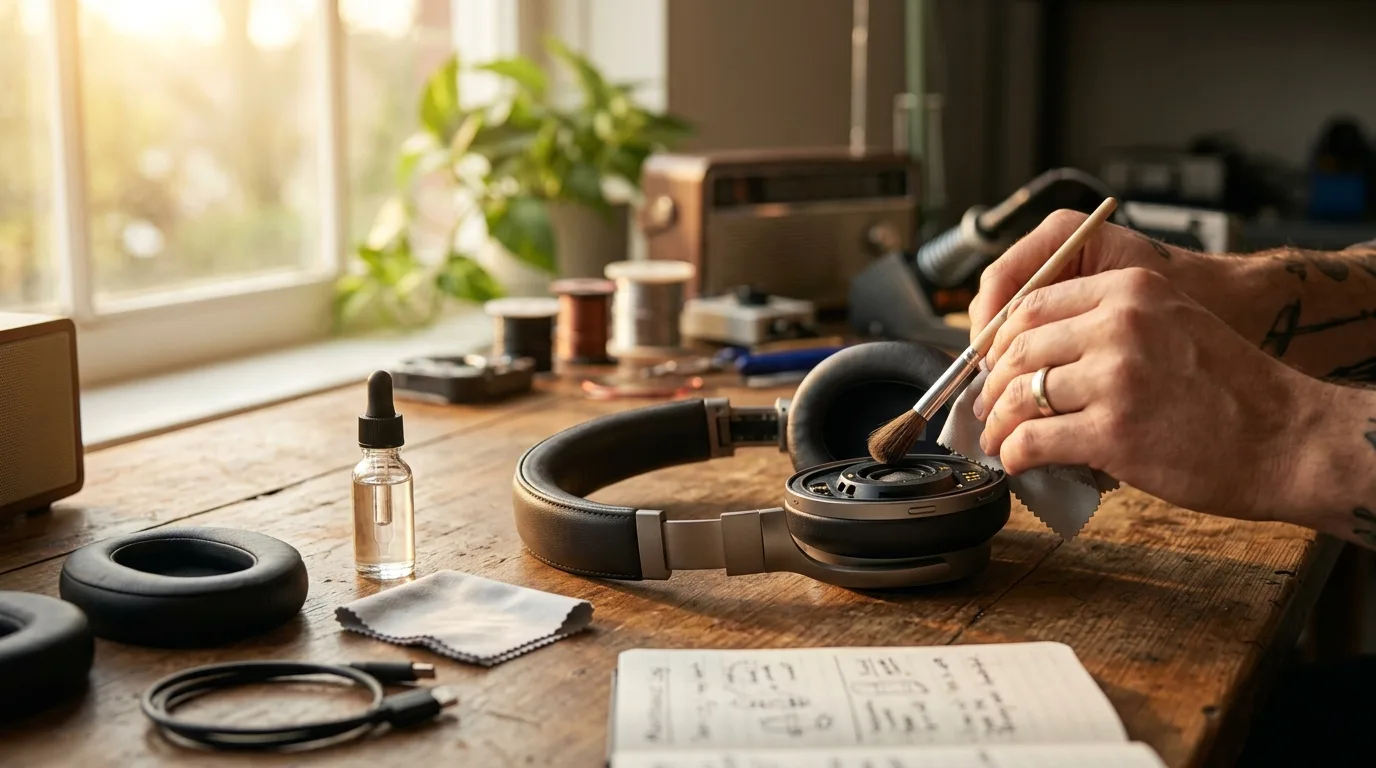
Wireless headphones are built to last three to five years, but most owners shorten that lifespan through preventable habits. Dirty ear pads degrade comfort and hygiene. Bad charging routines kill battery capacity within eighteen months. Careless storage cracks hinges and warps headbands. This guide covers the maintenance routines that protect your investment — from premium flagships down to budget-friendly sets under one hundred dollars.
We examined durability complaints across six popular models, pulling failure-mode data from Amazon reviews, iFixit teardowns, and headphone repair forums. The patterns are consistent: most damage is preventable. A five-minute daily routine and a few seasonal habits add years of functional life to any wireless headphone. The advice applies to full-size cans, earbuds, and bone conduction models — each section notes where form factor changes the approach. Start with the cleaning basics and work through battery care, hinge maintenance, and long-term storage.
Headphone Care Essentials
Why Headphone Maintenance Matters More Than You Think
Headphone maintenance extends product life, preserves sound quality, and prevents hygiene problems that accumulate with daily skin contact. Most wireless headphones contain lithium-ion batteries, protein leather or fabric pads, plastic hinges, and sensitive driver membranes that all degrade faster without routine care.
The financial case is simple. A premium pair in the three-hundred-dollar range lasts five years with regular maintenance but often fails at two years without it. And most failures are preventable. Ear pad replacement alone costs a fraction of new headphones and restores both comfort and passive noise isolation. Battery health habits keep the cells at usable capacity for an extra twelve to eighteen months. Hinge care prevents the single most common physical failure mode in folding designs.
Minutes per week. Hundreds saved per year. We recommend building a simple post-session cleaning habit — it is the biggest difference between headphones that last two years and headphones that last five.
Beyond money, hygiene is an underappreciated factor. Ear pads collect dead skin, oils, bacteria, and ear wax with every session. Shared headphones in offices or households spread skin conditions if the pads are not cleaned between users. The driver mesh behind the ear pad traps particles that eventually muffle high-frequency response — headphones that sound "dull" after a year often just need a thorough cleaning, not replacement.
Daily Cleaning: Ear Pads, Driver Mesh, and Ear Tips
A quick daily wipe removes the oils and moisture that cause long-term pad degradation before they absorb into the material. Keep a microfiber cloth near your headphone stand or charging station so the habit requires zero extra effort. Dry wiping after each session handles ninety percent of the buildup.
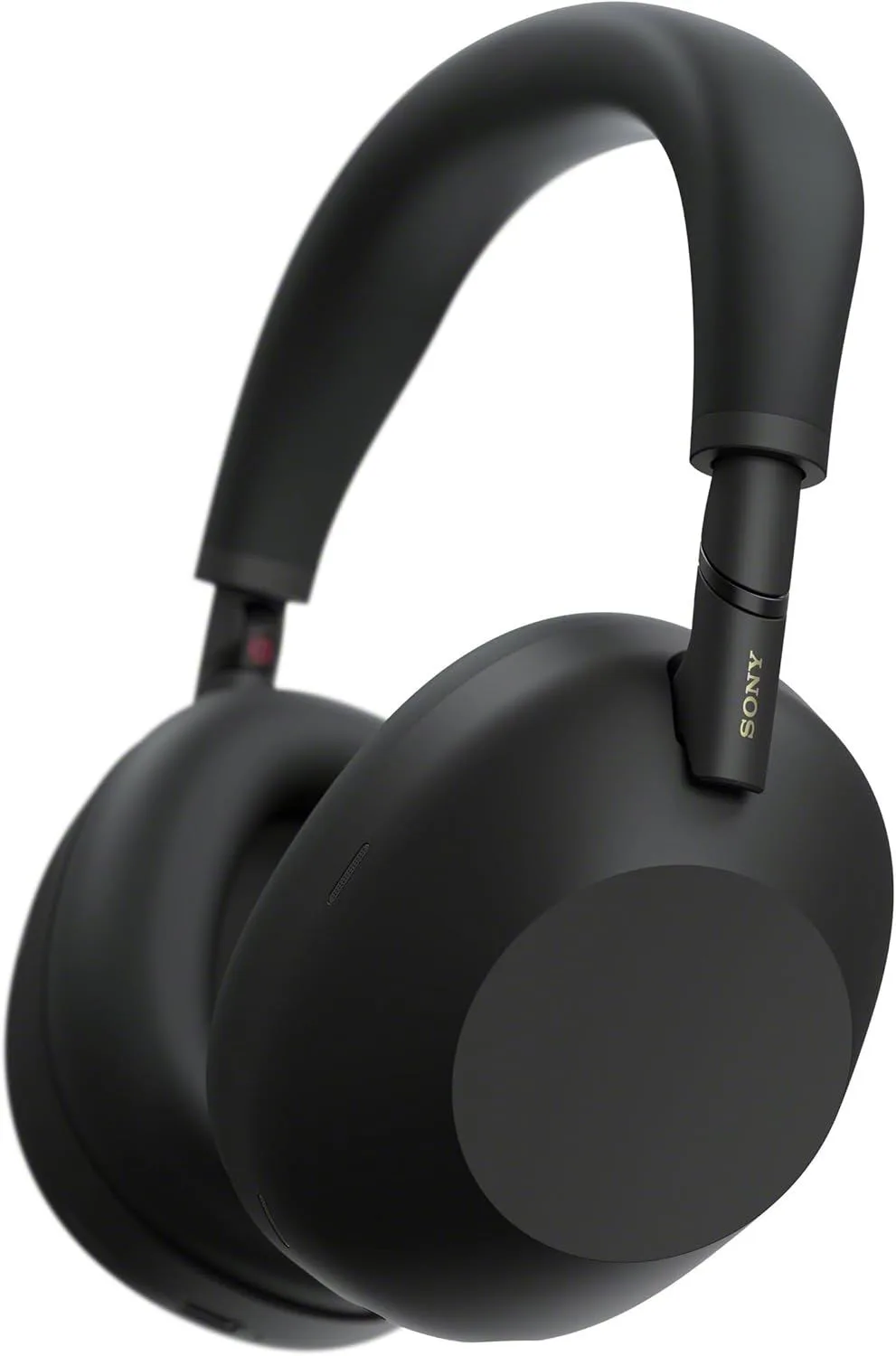
Protein leather pads (used on the Sony WH-1000XM6, Bose QuietComfort Ultra, and Sennheiser Momentum 4) absorb skin oils faster than fabric. Wipe after every session with a dry microfiber cloth. Once a week, dampen the cloth with water and a drop of mild hand soap, wring it nearly dry, and wipe the pad surface. Never soak the pads or use alcohol-based cleaners — both dry out protein leather and accelerate cracking. Let pads air-dry for ten minutes before wearing again.
Fabric and mesh pads absorb sweat more readily but resist oil damage better than leather. Brush lint and dust off with a soft-bristle toothbrush, then wipe with a lightly damp microfiber cloth. For deep odor removal, lightly mist the pad surface with a fabric-safe disinfectant spray (not directly on the driver) and let it air-dry for 30 minutes. Some aftermarket fabric pads from Wicked Cushions are machine-washable — check the manufacturer's label.
Driver mesh cleaning requires more care. The mesh protecting the speaker driver sits behind the ear pad on over-ear models and at the nozzle tip on earbuds. Use a dry, soft-bristle brush to clear dust and debris. For earbuds like the AirPods Pro 3, remove the silicone tip and gently brush the exposed mesh. Never push anything into the mesh — compressed air at low pressure works if brushing leaves residue. A clogged driver mesh is the number one cause of muffled sound in headphones over six months old.
Silicone ear tips should be removed and rinsed under warm water weekly. Dry thoroughly before reattaching — moisture trapped between the tip and the nozzle breeds bacteria and can corrode the contact points. Foam ear tips from Comply or SpinFit cannot be rinsed; instead, wipe with a dry cloth and replace every two to four months as the foam loses its memory and seal quality.
Battery Health: Charge Cycles and Optimal Storage Levels
Every wireless headphone uses a lithium-ion or lithium-polymer battery that degrades with each charge cycle. A full cycle means discharging from 100% to 0% — partial cycles count proportionally. Most cells retain 80% of their original capacity for 300-500 full cycles, which translates to roughly two to three years of daily use. Bad charging habits can cut that to eighteen months.
The 20-80 rule is the single most effective battery habit. Lithium-ion cells experience the least stress when kept between 20% and 80% charge. Charging to 100% heats the cell and holds it at peak voltage — both accelerate chemical degradation. Draining to 0% forces the cell into a deep discharge state that permanently reduces capacity. If your headphones lack a percentage indicator, charge for shorter sessions rather than topping to full every night.
Overnight charging is the most common battery killer.
But it feels harmless.
Leaving the Sony WH-1000XM6 or Bose QuietComfort Ultra on the charger for eight hours keeps the battery at 100% and trickle-charges repeatedly as it naturally drops a fraction of a percent. Over months, this pattern measurably reduces maximum capacity. Instead, charge during a meal or work break — the Sony WH-1000XM6 adds three hours of playback from a three-minute quick charge, so overnight sessions are unnecessary.
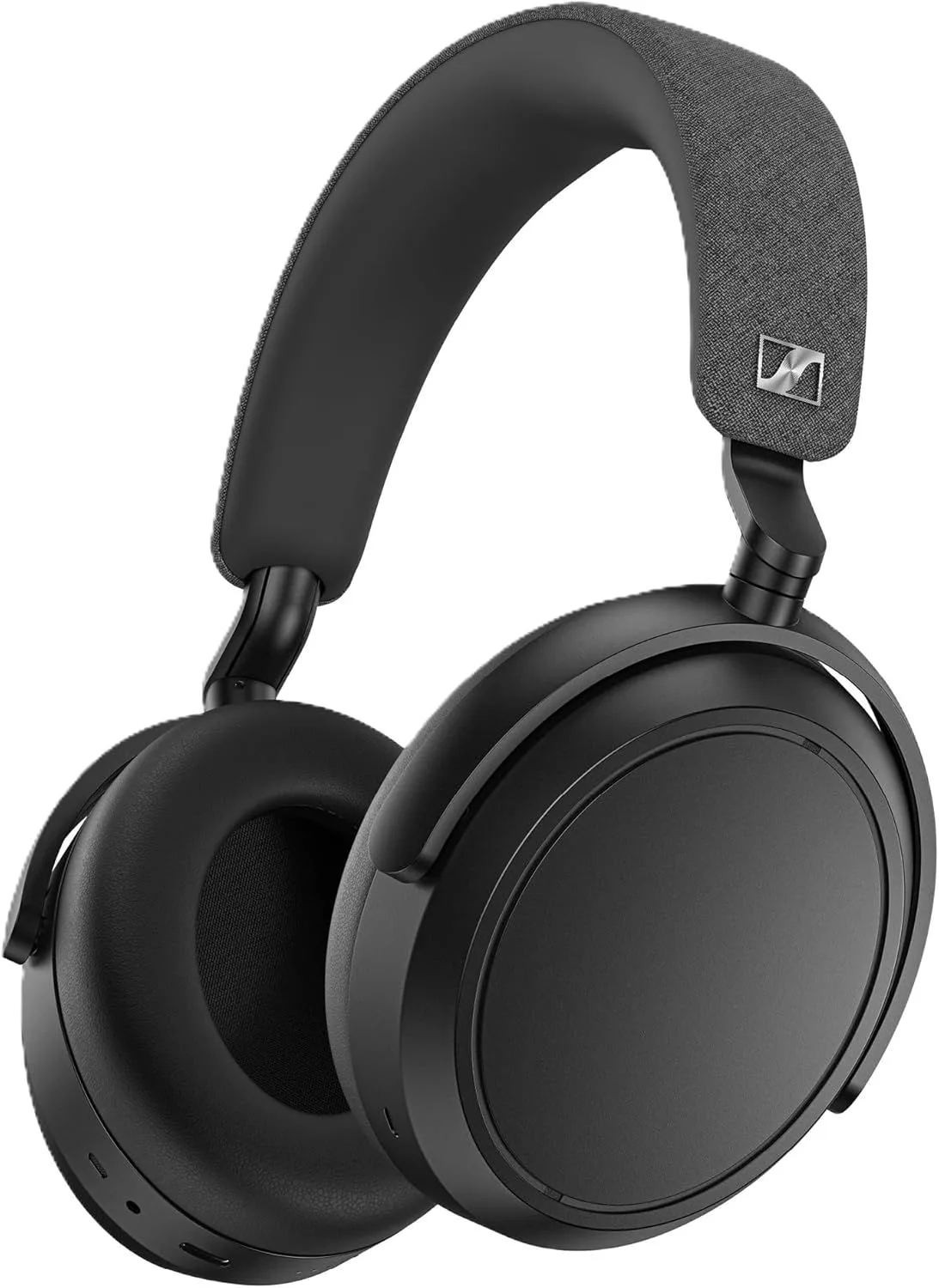
Storage charge level matters when you leave headphones unused for more than two weeks. Store at 40-60% charge — this is the voltage range where lithium-ion cells experience the least self-discharge stress. Storing at 100% for months degrades capacity faster than regular use. Storing at 0% risks the cell dropping below its minimum voltage threshold, which can permanently damage it or prevent the device from turning on. The Momentum 4 with its marathon battery is particularly forgiving here — its 56-hour capacity means even at 50% storage you have weeks of buffer before the charge drops to risky levels.
Temperature and charging interact badly. Never charge headphones in direct sunlight, inside a hot car, or immediately after extended outdoor use in summer. Lithium-ion cells should be charged between 10C and 35C (50-95F). Charging at high temperatures accelerates chemical degradation inside the cell and can cause swelling. If your headphones feel warm after a long listening session, let them cool for fifteen minutes before connecting the cable.
Ear Pad Replacement: When, How, and OEM vs Third-Party
Ear pads are consumable parts designed to be replaced, not repaired. Three signs indicate replacement time: the foam no longer rebounds after pressing (stays compressed), the surface material is cracking or peeling, or passive noise isolation has noticeably decreased. Most pads last 12-18 months with daily use, longer with regular cleaning, and shorter in hot or humid climates where sweat accelerates material breakdown.
OEM pads from the original manufacturer are the safest choice for sound quality. Each headphone's driver tuning accounts for the specific ear cup volume, pad material, and distance from the ear that the stock pads create. Changing pad thickness or material alters the acoustic chamber and shifts the frequency response — sometimes in ways that reduce bass extension or change the treble balance. OEM pads for the XM5 are available directly from Sony and fit perfectly with no modification.
Third-party pads from brands like Dekoni, Brainwavz, and Wicked Cushions often improve comfort at the expense of minor sound changes. Thicker pads increase ear cup volume, which can widen the soundstage but reduce bass impact. Cooler materials (perforated fabric, velour) reduce heat buildup during long sessions — a real benefit for warm-climate users or anyone who finds protein leather uncomfortable after two hours. For the Bose QuietComfort Ultra, aftermarket velour pads from Dekoni are a popular comfort upgrade among users who prioritize long-wearing sessions over maximum noise isolation.
Replacement process on most over-ear models is tool-free. Pads snap, twist, or magnetically attach to the ear cup frame. Sony, Bose, and Sennheiser all use twist-lock mechanisms on their current flagships. Pull the old pad gently from the retention lip, align the new pad, and press until it clicks. The entire process takes under two minutes per side. Check manufacturer documentation or iFixit for your specific model if the mechanism is not obvious.
Hinge Care and the Folding Mechanism Failure Pattern
The hinge is the most mechanically stressed component on any folding headphone. It bears the full clamping force of the headband and endures repeated open-close cycles every time you fold for storage. Metal hinges tolerate this well. Plastic hinges — particularly on budget and mid-range models — fatigue and crack over time.
The Sony WH-1000XM5 is a well-documented cautionary example. Early production runs had a hinge design that developed stress fractures at the fold point after 12-18 months of regular folding. Sony addressed this in later batches and redesigned the mechanism for the Sony WH-1000XM6, which uses reinforced pivot points and a different folding geometry. Our headphone durability breakdown covers failure rates and material differences in detail. The lesson: if your headphones fold, handle the hinge with deliberate, even pressure rather than snapping them open or closed with one hand.
Preventive habits reduce hinge stress. Always unfold using both hands with even pressure on both ear cups. Never fold or unfold by gripping a single ear cup and forcing the other — this concentrates torque on one hinge. When adjusting the headband slider, hold the ear cup steady and slide gently. Rough adjustment wears the detent mechanism that keeps the slider in position, leading to headphones that slip down during use. Store unfolded when possible — the folded position maintains constant tension on the hinge spring.
If a hinge develops a crack, stop folding the headphone immediately. Many models function perfectly in the unfolded position even with a damaged hinge. Continuing to fold accelerates the break until the ear cup detaches entirely. Check warranty coverage — many manufacturers cover hinge failure as a defect within the warranty period, especially when it appears before the 18-month mark.
Storage Best Practices: Cases, Humidity, and Temperature
How you store headphones between sessions determines how quickly non-electronic components degrade. Protein leather, foam, silicone, and adhesives all respond to environmental conditions. The right storage habits prevent cosmetic and functional damage that cleaning alone cannot fix.
Use the included case. Hard-shell cases protect against physical impacts, dust accumulation, and UV exposure. The Sony WH-1000XM6 and Bose QuietComfort Ultra both ship with fitted cases that hold the headphones in their folded position with padding on all contact surfaces.
Leaving headphones loose on a desk exposes them to accidental drops, dust that settles into the driver mesh, and UV light that yellows white plastics and degrades rubber components within months. If you lost the original case, aftermarket hard cases in the ten-to-twenty-dollar range fit most full-size models.
Humidity control matters more than most owners realize. Protein leather pads absorb ambient moisture and swell in humid environments, which accelerates material fatigue.
And the damage is invisible at first.
In climates above 70% relative humidity, store headphones with a small silica gel packet inside the case. Replace the packet monthly — they saturate and stop absorbing moisture. For earbuds, the charging case itself provides a sealed environment, but moisture trapped inside the case between the bud and the contacts promotes corrosion. Dry buds thoroughly before casing after workouts.
Temperature extremes damage batteries and adhesives. Never store headphones in a car during summer — interior temperatures above 50C (122F) accelerate battery degradation and can soften adhesives that hold padding and internal components in place. Cold storage below -10C (14F) temporarily reduces battery capacity but does not cause permanent damage if the headphones are allowed to warm gradually before use. The ideal storage temperature range is 15-25C (59-77F).
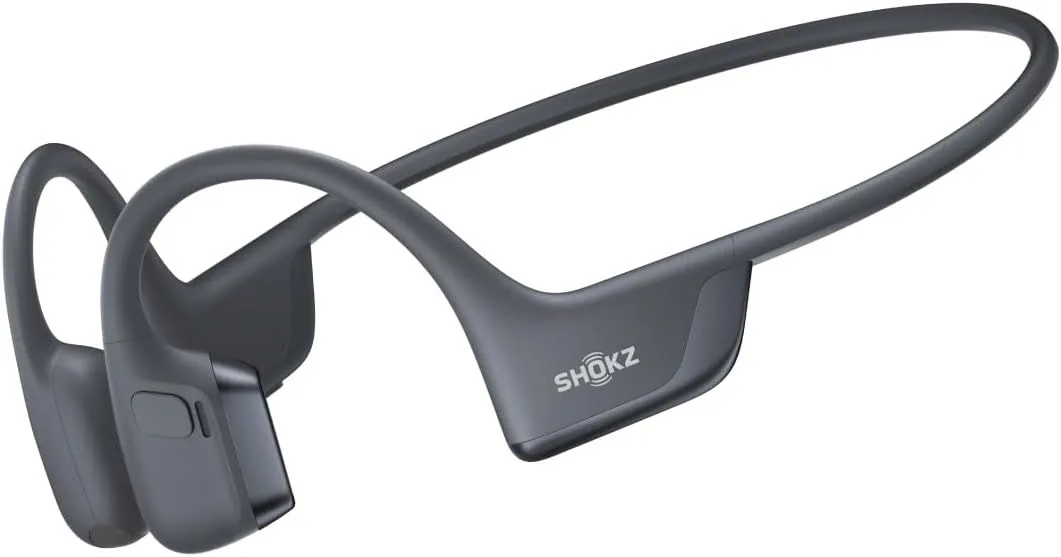
Travel storage adds mechanical stress. When packing headphones in luggage, always use the hard case and position it where it will not bear the weight of other items. Overhead bin pressure during flights can crack exposed headphones. For earbuds, the charging case itself is sufficient protection — just keep it in a pocket or bag compartment where it will not be crushed. The Shokz OpenRun Pro 2 with its lightweight wraparound design tolerates rougher storage than most, but the transducer pads benefit from case protection on extended trips.
Firmware Updates: Why They Matter for Longevity
Firmware updates do more than add features — they fix bugs that cause battery drain, improve charging algorithms, and refine the ANC processing that puts load on the internal processor. Skipping updates means running code that the manufacturer has already identified as flawed.
The Sony WH-1000XM6 is a strong example. Its launch firmware had a known issue where the ANC processor ran at higher power than necessary in low-noise environments, consuming battery faster than rated specs. A firmware update two months after launch reduced idle ANC power draw, effectively adding two to three hours of battery life. Users who skipped the update continued experiencing shorter-than-expected battery performance and concluded the product was defective.
Update process is straightforward on all current headphones. Connect to the companion app (Sony Headphones Connect, Bose Music, Sennheiser Smart Control, or the relevant brand app), check for updates, and follow the on-screen instructions. Keep headphones charged above 50% during the update. Stay within Bluetooth range until completion — interrupted writes can corrupt the firmware and require a factory reset or service center repair. Most updates complete within five to ten minutes.
When NOT to update immediately: The first 48 hours after a major firmware release sometimes surface new bugs reported by early adopters. If your headphones work well and the update notes do not address a problem you experience, waiting a week for community feedback is reasonable. Check the product subreddit or Head-Fi forum thread for reports before updating.
Sweat Damage Prevention for Sport and Active Use
Water resistance ratings on headphones follow the IP (Ingress Protection) scale, but the ratings often mislead buyers about real-world sweat exposure. IPX4 protects against splashing water from any direction. It does not protect against sustained moisture accumulation inside the ear canal, where sweat pools between the ear tip and the driver nozzle during intense workouts.
The OpenRun Pro 2 with its IP55 rating handles sweat better than most because its bone conduction design keeps the transducers on the cheekbone rather than inside the ear canal. There is no enclosed space where moisture accumulates. For in-ear models like the Apple AirPods Pro 3, the ear canal environment creates a warm, moist chamber that accelerates corrosion at the driver mesh and charging contacts.
Post-workout protocol: Remove ear tips immediately after exercise. Wipe the driver nozzle with a dry, lint-free cloth. Shake out any visible moisture from the ear tip. Let both pieces air-dry for at least 30 minutes before reuniting them or placing buds in the charging case. Putting sweaty buds directly into a sealed case traps moisture against the charging contacts — the most corrosion-prone component on any earbud.
Over-ear headphones and exercise are a poor combination for longevity. Protein leather pads trap sweat against the skin and absorb moisture into the foam layer beneath. If you must use over-ear models during light activity, choose a pair with washable fabric pads or invest in aftermarket sport pads designed for moisture resistance. For serious workouts, bone conduction or true wireless earbuds with proper water resistance are the better form factor. The degradation from sweat exposure on over-ear pads is not repairable — only replaceable.
When to Replace vs. When to Repair
Not every problem means buying new headphones. The repair-or-replace decision depends on the component that failed, the age of the headphones, and whether replacement parts are available.
Replace the part, not the headphone: Ear pads (always replaceable, always worth it), ear tips (cheap, disposable by design), headband cushions (available for most flagship models), and cables on models with detachable connections. These fixes cost under fifty dollars total and restore near-original function.
Repair through the manufacturer: Hinge damage within warranty, Bluetooth connectivity failures, one-sided audio dropouts, and charging port issues. Sony, Bose, and Sennheiser all offer out-of-warranty repair programs, though the cost sometimes approaches 50-60% of a new pair. Get a repair quote before committing — compare it against the price of the current generation or a discounted previous-generation model.
Replace the headphone entirely when: battery life has dropped below 50% of original capacity and the model does not have a user-replaceable battery, driver failure produces distortion that no firmware update resolves, or the headphone is more than three years old and a new generation offers measurably better performance. The XM5 to XM6 generational comparison shows the kind of incremental gains that may or may not justify the upgrade — read it before deciding if your current pair is worth replacing.
Common Maintenance Mistakes That Shorten Headphone Life
Using alcohol wipes on protein leather. Do not. Isopropyl alcohol strips the protective coating on protein leather ear pads, causing them to dry out, crack, and flake within weeks. Use mild soap and water only. Alcohol-based cleaners are safe on silicone ear tips and hard plastic surfaces — just not on leather or faux leather.
Storing headphones in direct sunlight near windows. UV exposure yellows white plastics, degrades rubber headband padding, and heats batteries beyond their safe operating range. Even indirect sunlight through a window generates enough heat to cause problems over months. Store in a case, a drawer, or on a headphone stand away from windows.
Wrapping the charging cable tightly around the headphones. Tight wrapping creates stress points at the USB-C connector and along the cable sheath. Over hundreds of wrapping cycles, the internal wires fatigue and break — first causing intermittent charging, then total failure. Coil cables loosely or use a velcro cable tie.
Ignoring ear tip fit degradation. Silicone ear tips lose elasticity over months of daily use. A tip that sealed perfectly when new may leak air six months later, reducing both passive isolation and ANC performance on models like the Apple AirPods Pro 3. If your ANC seems weaker than when you bought the earbuds, try a fresh set of tips before concluding the hardware has degraded.
Sharing headphones without cleaning between users. Ear infections, skin irritation, and bacterial transfer are real risks with shared over-ear and in-ear headphones. Wipe pads with a damp cloth between users at minimum. For earbuds, swap ear tips between users or clean tips with mild soap and water. Workplaces and recording studios that share headphones should keep disposable hygiene covers on hand.
Products Built to Reward Good Maintenance
Best build quality for long-term ownership: The Sony WH-1000XM6 addressed the hinge durability concerns of its predecessor with reinforced folding points and a sturdier headband slider mechanism. Combined with readily available OEM replacement pads and a strong firmware update cadence, it is the pair most likely to reach the five-year mark with proper care. Read our full XM6 review for build quality details and long-term durability notes.
Best battery longevity: The Sennheiser Momentum 4 with its 56-hour ANC-on rating gives you the most headroom for the 20-80 charging habit. Even at 60% charge, you get over 30 hours of playback — enough for an entire work week without needing a top-up. That flexibility means fewer charge cycles per month and a battery that holds capacity longer.
Best for active use and sweat resistance: The Shokz OpenRun Pro 2 with IP55 water and dust resistance handles workout conditions better than any over-ear or in-ear option. Its open design avoids the moisture trapping problem entirely, and the titanium frame resists the corrosion that kills earbuds used heavily at the gym. See our OpenRun Pro 2 durability assessment for detailed water resistance testing notes.
Best earbud care ecosystem: The Apple AirPods Pro 3 includes an adaptive seal test, automatic firmware updates through iOS, and widely available replacement ear tips in multiple materials. Apple's closed ecosystem means updates are pushed and installed with minimal user effort — reducing the chance of running outdated firmware that drains battery or introduces bugs.
Frequently Asked Questions
How often should I clean my wireless headphones?
Wipe down ear pads and driver mesh after every listening session lasting more than an hour. A quick pass with a dry microfiber cloth removes oils and sweat before they soak into the padding. Deep cleaning with a lightly dampened cloth and mild soap should happen once a week for daily-use headphones. The Sony WH-1000XM6 and Bose QuietComfort Ultra both have protein leather pads that absorb skin oils faster than fabric — weekly cleaning prevents material breakdown and odor buildup.
What is the best charge range for wireless headphone battery health?
Keep lithium-ion batteries between 20% and 80% charge for maximum cycle life. Charging to 100% or draining to 0% stresses the cells and accelerates capacity loss. If you charge nightly, unplug when the indicator hits 80% rather than leaving the headphones on the charger overnight. The Sennheiser Momentum 4 with its 56-hour battery makes this easier — you can charge to 80% and still get over 40 hours of ANC-on playback, reducing how often you need a full top-up.
When should I replace ear pads instead of buying new headphones?
Replace ear pads when the foam loses its rebound (stays compressed after pressing), when the surface material is cracked or peeling, or when you notice reduced passive noise isolation. Most ear pads last 12-18 months with daily use. Replacement pads from the original manufacturer cost between fifteen and forty dollars — a fraction of new headphones. Third-party pads from Dekoni or Wicked Cushions fit most popular models and sometimes outperform OEM pads on comfort, though they can alter the sound signature slightly by changing the ear cup volume.
Can sweat damage wireless earbuds during workouts?
Yes. Sweat contains salt and moisture that corrode internal components over time, even on water-resistant models. An IPX4 rating on the Apple AirPods Pro 3 protects against splashes but not sustained moisture exposure inside the ear canal. After every workout, remove the ear tips, dry the driver nozzle with a lint-free cloth, and let both pieces air-dry for 30 minutes before placing them back in the charging case. The Shokz OpenRun Pro 2 with its IP55 rating handles sweat better than most earbuds, but the same post-workout drying routine extends its life.
Should I update headphone firmware regularly?
Yes. Firmware updates fix bugs, improve ANC algorithms, and occasionally add new features. The Sony WH-1000XM6 received two firmware updates within its first three months that measurably improved noise cancellation depth in the mid-frequency range. Check the companion app monthly — Sony Headphones Connect, Bose Music, and Sennheiser Smart Control all push notifications for available updates. Always update with the headphones charged above 50% and stay within Bluetooth range of your phone until the process completes. Interrupted firmware writes can brick the device.
Our Top Recommendation
Based on our research, the Sony WH-1000XM6 is our top pick — android users who want the absolute best anc and detailed sound without apple ecosystem dependency.
Get Picks Delivered
One email per week. Honest reviews, no spam.
No spam. Unsubscribe anytime.